SSIS – Extract single XML node using XPath from SOAP response

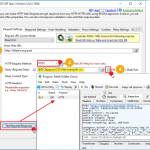
Introduction In this post, you will learn how to extract a single XML node value from your XML web response (SOAP Web service call) using an XPath expression in the SSIS REST API Web Service Task and the XML Parser Task. This article assumes you have basic knowledge of how to call a REST API or a […]

Extract SQL Server Data to CSV files in SSIS (Bulk export) and compress/upload files to Amazon S3 (AWS Cloud)

Loading data from SQL Server to Amazon S3 in SSIS (Split Files, GZip)

Introduction In this blog post you will see how easy it is to load large amount of data from SQL Server to Amazon S3 Storage. For demo purpose we will use SQL Server as relational source but you can use same steps for any database engine such as Oracle, MySQL, DB2. In this post we […]

Create new Amazon DynamoDB Connection in SSIS - Use Amazon DynamoDB Execute SQL Task - List Tables Example

How to Read / Write Amazon DynamoDB in SSIS

Introduction In this article we will look at how to Read / Write Amazon DynamoDB in SSIS. ZappySys developed many AWS related components but in this article we will look at 3 Tasks/Components for DynamoDB Integration Scenarios (Read, Write, Update, Bulk Insert, Create / Drop Table etc.). We will discuss how to use SSIS DynamoDB Source Connector […]

How to Insert Multiple Documents into MongoDB using SSIS

Introduction In this post you will learn how to use MongoDB ExecuteSQL Task for SSIS to insert multiple documents into MongoDB collection using SSIS. This task can be used to perform any DDL or DML operations for MongoDB natively inside SSIS without using any command line utilities. It gives you flexibility and security of SSIS. […]

How to add / remove MongoDB User in SSIS

Introduction In this blog post, you will learn how to call MongoDB Shell Commands from SSIS using the MongoDB ExecuteSQL task Some use cases for calling MongoDB shell commands are listed here.   How to call MongoDB Shell Commands in SSIS Download and install SSIS PowerPack from here From the toolbox of the SSIS designer, […]

REST API File Upload using SSIS (Multi Part POST)

Introduction In this post, you will learn how to use the SSIS REST API Task to perform REST API File Upload (i.e., RESTful file upload) to a web server. Typically, to access the REST API, you need to use a programming language, but in this post, we will use a drag-and-drop visual approach. File upload using […]

SSIS REST API Example - Call with 301 / 302 Redirect

Calling Web API in SSIS with Authorization and Redirect

Introduction In some cases when you call API to http URL it may redirect you to different location (Also known as 301 or 302 redirect). Best example is when you type https://www.zappysys.com it will redirect you to https://zappysys.com. This can cause issue in some case if you are passing credentials (i.e. UserID / Password) because […]

SSIS - How to check if file is locked. Wait until file is unlocked (C# Code - SSIS Script Task).

SSIS check file is locked and wait until file is unlocked (C# Script)

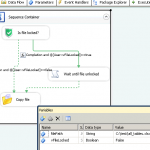
Introduction In this small blog post you will learn How to move files using SSIS Advanced File System Task and How to wait until file is unlocked using C# Script Task. How to check if file is locked (SSIS C# Script Task) If you want to check if file is locked in C# then below […]

SSIS Advanced File System Task - get file list as ADO.net Recordset into variable

Get list of files in SSIS for Looping

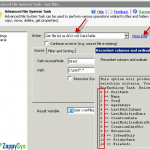
Introduction In this post you will learn how to use Advanced File System Task to get list of files and folders into variable. Advanced File System Task is significantly better than native SSIS File System Task How to get list of files in SSIS Most simplest way to get list of files in SSIS is […]

How to get data from Workday in SSIS using SOAP/REST API

Introduction In this article you will learn how to get data from WorkDay SOAP web service in few clicks using SSIS SOAP XML Source. All you need to know how to create SOAP Request correctly and provide Authorization (e.g. Userid, Password) inside your request (You can generate that easily using Free tools like SoapUI). Once you do […]