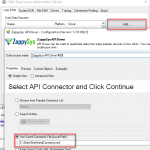
Introduction Claude.IA is a powerful cloud-native intelligence and automation platform that offers REST APIs for accessing AI models, data processing pipelines, and automation workflows. In this guide, we will demonstrate how to connect to Claude using the Zappysys ODBC Driver for REST APIs with API key authentication. Whether you are using Claude for intelligent document processing, […]
Category Archives: ODBC PowerPack
ODBC tutorial: How to connect Blogger to ODBC
Introduction This tutorial walks you through the process of extracting blog posts and comments data from Blogger using the REST API and Zappysys ODBC connectors. In this guide, you will learn how to authenticate with the Blogger REST API, configure a Zappysys ODBC data source, and query extracted data using ODBC. This approach eliminates the […]
How to add non-admin user access for linked servers
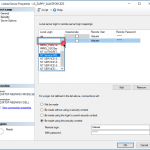
Introduction When you create a linked server, the connection succeeds, but the query fails. By default, non-admin users do not have access to a Linked Server in SQL Server. When such users attempt to query a Linked Server, they may encounter errors similar to the following:
|
1 2 3 4 5 6 |
OLE DB provider "SQLNCLI11" for linked server "ZappySysLink" returned message "Unable to open a logical session". Msg -1, Level 16, State 1, Line 0 SMux Provider: Physical connection is not usable [xFFFFFFFF]. |
This issue occurs because the Linked Server does […]
Call ChatGPT REST API in SSIS
Introduction OpenAI, the creators of ChatGPT, provide both a web interface and an API for seamless integration of their tools into applications. This article provides a comprehensive guide on how to establish a connection with the OpenAI API in SSIS using ZappySys JSON Source, enabling seamless data integration and retrieval. Prerequisites Before we perform steps […]
How to create custom ODBC Driver for API without coding
Introduction Imagine this situation, you or users of your product wants to consume some REST API in ETL / BI / Programming Tools using ODBC / JDBC Driver interface but there are no ODBC / JDBC Driver available for that API and you dont even know coding? If you are in a situation No Problem […]
Connect to Infor Compass using JDBC Driver in ODBC Apps (e.g. SQL Server, Power BI, Excel, Informatica)
Introduction In this blog post you will learn how to use Infor Compass JDBC driver in ODBC Apps (i.e. non-JAVA apps) such as Power BI, Excel, Informatica and many more listed here using JDBC-ODBC Bridge Driver. In other words, if you like to use Infor Compass data in your App / Programming language and App […]
How to call NetSuite RESTlet API in SSIS / ODBC
Introduction In our previous post we saw how to read API data in SSIS. This post we will cover how to call NetSuite RESTlet to read / write data in SSIS or ODBC Apps. For demo purpose we will use SSIS PowerPack REST API Task but concepts and many UI elements remain same for ODBC […]
How to Secure ZappySys Data Gateway (Network Settings)
Introduction In our previous article we explored several powerful features of the ZappySys Data Gateway. This follow‑up post focuses on keeping the gateway secure. You’ll learn about the new options available in the Network Settings tab, how to restrict access by IP address, and how to grant dataset‑level permissions to non‑admin users. Network Settings Overview […]
How to register Salesforce App and obtain Client ID / Secret (for API Call / OAuth)
Introduction Using Salesforce Connection with OAuth App in SSIS / ODBC Once you have Client ID / Secret, you can use it in the Salesforce Connection in SSIS Connector / ODBC Driver for Salesforce like below (Only the new version will have OAuth option) Troubleshooting Known Issues Let’s look at some common issues with Salesforce […]
Download Gmail Attachment in SSIS
Introduction Downloading Gmail Attachments in SSIS is always a little more difficult than working with simple text or numeric columns. If you are not an SSIS expert, doing it for the first time may be challenging. That is why we created this article for you. This is a common request we receive, so we are […]