How to detect extra columns or missing columns
 Sometimes, we need to validate the input columns to check for extra or missing columns in SSIS. ZappySys includes some pretty nice tools, but some of them cannot check the required values. To fix that problem, you can complement these tools with our Regular Expression Parser Task.
We will use Regular Expressions to validate the columns. For example, we want to check that the file has 3 columns with specific names, if it contains extra columns or there are missing some columns, we want to send an error. We will show you how to do this.
We will be using this ZappySys SSIS PowerPack component to make things work:

Prerequisites
Before we perform the steps listed in this article, you will need to make sure the following prerequisites are met:- SSIS designer installed. Sometimes it is referred to as BIDS or SSDT (download it from the Microsoft site).
- Basic knowledge of SSIS package development using Microsoft SQL Server Integration Services.
- Make sure ZappySys SSIS PowerPack is installed (download it, if you haven't already).
- (Optional step). Read this article, if you are planning to deploy packages to a server and schedule their execution later.
Creating a CSV file
- To start, we will create a plain text or CSV file with some columns. Create a file named file.txt or any name of your preference.
- Add data similar to the following:
123name,lastname,emailClint,Eastwood,ceastwood@gmail.comCameron,Diaz,cdiaz@gmail.com
ZS Regular Expression Parser to detect missing columns in SSIS
- First, SSDT opens an SSIS project.
- Now, it is time to use the ZS Regular Expression Parser.
- Secondly, drag and drop the ZS Regular Expression in the design pane:

SSIS Regular Expression parser
- In AccessMode, use Connection and create a new connection.
- Select the file you created before. Click OK to save the configuration.
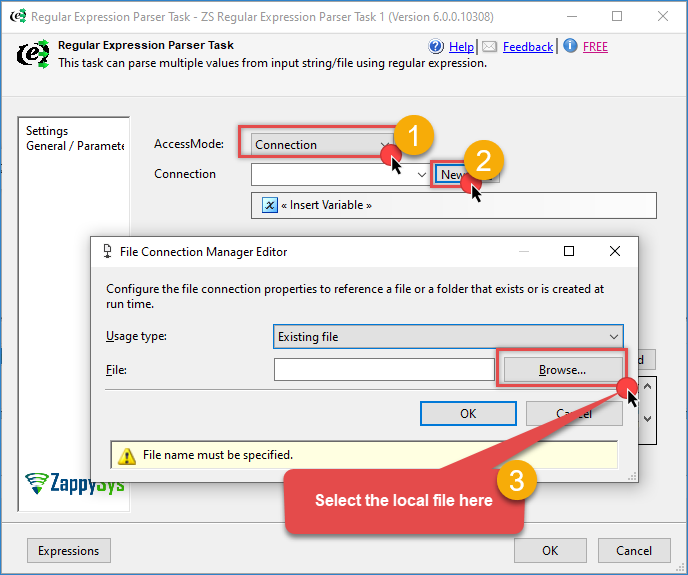
Regular Expressions Parser Task – Create a connection to a local file
- Add the following expression to the Task and test it:
1^name,lastname\r\n - In the previous scenario, the expression will fail because it is missing the email.
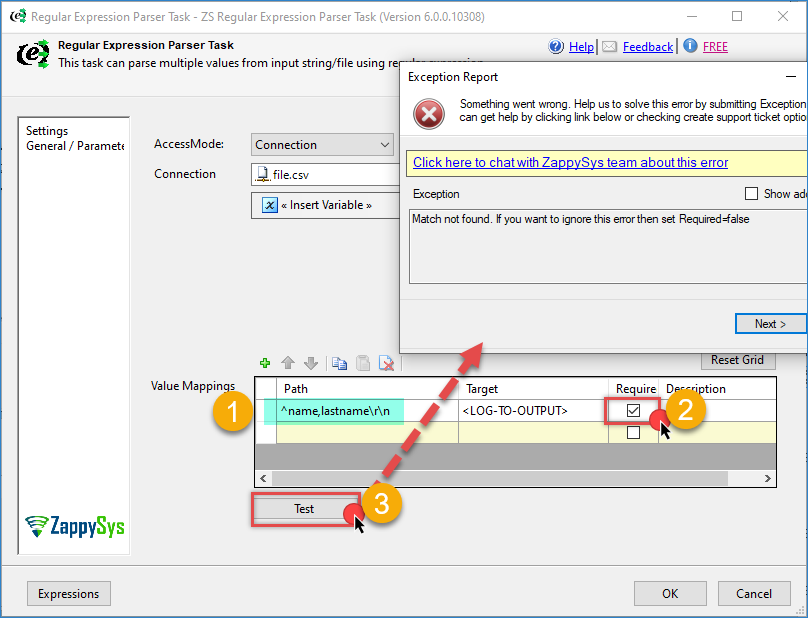
Regular Expressions Parser Task – detect missing columns example fails
- Finally, the following Expression
^name,lastname,email\r\n will pass, because the email is included.
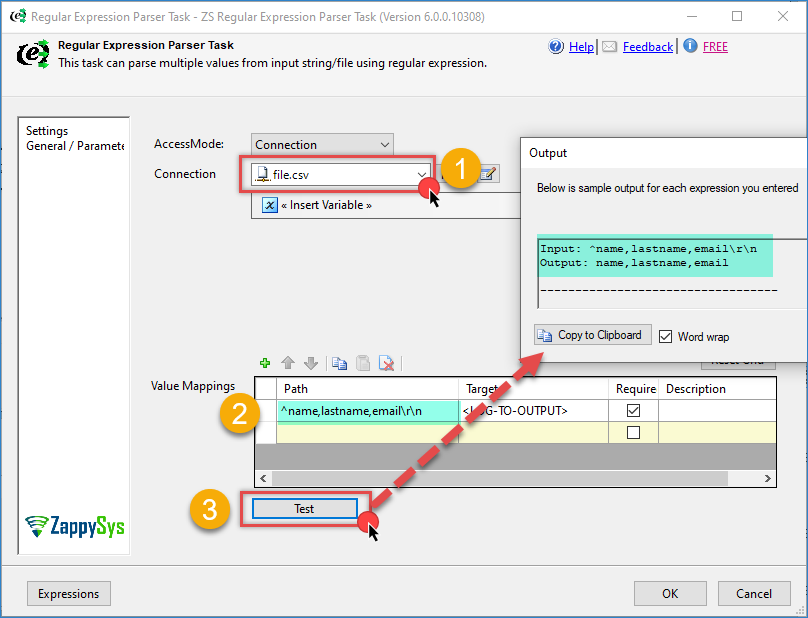
Conclusion
In this article, we learned how to validate and check the columns in a file in ZappySys using the ZS Regular Expression Parser. In the example, we created an expression to detect an exact match of columns. It will raise an error if a failure occurs.
If you want to enjoy this and other ZappySys tools, you can download our product here.