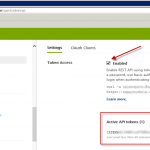
Full article coming soon. Meanwhile check following similar articles : Get data from Zendesk in SSIS using REST API Read Twitter data in SSIS using REST API Task and JSON Source – OAuth2 Protocol FastSpring API Reference: FastSpring REST API reference link
Category Archives: SSIS PowerPack
Get data from TSheets in SSIS using REST API
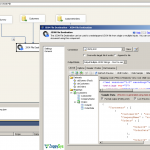
Full article coming soon. Meanwhile check following similar articles : Read Zendesk data in SSIS using REST API Read Twitter data in SSIS using REST API Task and JSON Source – OAuth2 Protocol TSheets API Reference: TSheets REST API reference link
Call Zendesk REST API in SSIS – Create Ticket
Introduction Zendesk is one the most popular customer service platforms available in the market today. Zendesk offers REST API so you can interact with their cloud based service programmatically (manage or read data). The problem is not every one is programmer and not everyone has time to learn how to write C# or JAVA code […]
5 Ways to Export JSON from SQL Server using SSIS
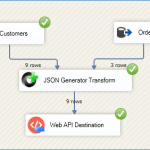
Introduction SQL Server 2012 and all previous versions lacking native JSON support, same theory is true for their ETL Platform SSIS. If you are one of them who wants to export JSON from SQL Server or any other RDBMS like MySQL, Oracle then you can easily output complex JSON using any of the following components. Five ways of […]
Search and replace in files using SSIS – No Coding
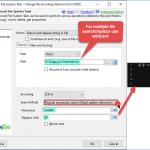
Introduction Many times, you need to search and replace content in files (single or multiple) using SSIS. If you are not a C# or VB.NET programmer, you may find yourself at a dead end, struggling to figure out how to achieve this in SSIS. If you have this need, then you can use the Advanced […]
How to change file encoding in SSIS (UTF8, ASCII or UTF16)
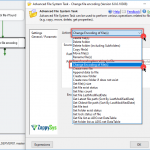
Introduction Many times during your ETL process, you receive files that are encoded differently than you expect. Example: all files are in UTF-16, but your application expects them in UTF-8. Or sometimes files are in ASCII format, and you want to convert to UTF-8. In this post, you will see how to use the Advanced […]
HTTP POST in SSIS – Send data to Web API url
Introduction In our previous article, we saw how to call a REST API or a SOAP Web Service in SSIS. In this article, we will focus only on how to perform an HTTP POST in SSIS using a RESTful approach. HTTP Protocol supports many methods, also referred to as verbs (e.g. GET, PUT, POST, HEAD, DELETE). […]
How to query MongoDB by date or ISODate
Introduction ZappySys provides high-performance drag-and-drop connectors for MongoDB Integration. In our previous post, we discussed how to query/load MongoDB data (Insert, Update, Delete, Upsert). In this post, you will see how to query MongoDB by date (or ISODate) using the SSIS MongoDB Source. To see full details about possible query syntax, see online help. MongoDB doesn’t have SQL Like query language […]
SSIS Code – Check URL Exists using C# Script – 404 Error
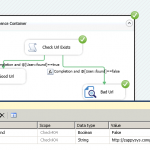
In this post you will learn how to use SSIS Script Task (C# Code) to detect specific URL found or not (Detect HTTP 404 Error) If you using SSIS JSON Source or our REST API Task then if URL/Document you trying to read not found then server may return 404 (Not Found) Exception. In order […]
SSIS YYYYMMDD date format using SSIS expression
Format Date – SSIS YYYYMMDD from date Often, you need to create file paths with a timestamp using an SSIS Expression. You can use SSIS Expressions Below is a simple expression that will produce a file path with the current timestamp
|
1 2 3 4 |
"C:\\Folder\\MyFile_" + (DT_STR, 4, 1252) DATEPART("yyyy" , GETDATE()) + RIGHT("0" + (DT_STR, 2, 1252) DATEPART("mm" , GETDATE()), 2) + RIGHT("0" + (DT_STR, 2, 1252) DATEPART("dd" , GETDATE()), 2) + ".json" |
Sample Output C:\Folder\MyFile_20151231.json Convert Date – SSIS YYYYMMDD to Date
|
1 2 3 4 5 6 7 8 9 |
--// For Control Flow //--- (DT_DATE)(SUBSTRING(@[yourDateAsStr],1,4) + "-" + SUBSTRING(@[yourDateAsStr],5,2) + "-" + SUBSTRING(@[yourDateAsStr],7,2)) --// For Data Flow //-- (DT_DATE)(SUBSTRING([field],1,4) + "-" + SUBSTRING([field],5,2) + "-" + SUBSTRING([field],7,2)) |
Set the SSIS […]