

Endpoint Get Message Attachment
Name
get_message_attachment
Description
Get a specific attachment linked to the specified message Id. [API reference]
Parameters
| Parameter | Required | Options |
|---|---|---|
|
Name:
Label: User ID or Email The Microsoft Mail user ID GUID or email address for the account to read messages from. (Examples: '4ff54a77-9c09-4274-958f-83bdc0a53900' or 'first.last@domain.com'). To populate this drop down (GET /users), User Credentials need User.ReadBasic.All delegated scope (in the default list; regenerate token after adding). Add User.Read.All only if you need full user profiles. Application Credentials need User.Read.All application permission with admin consent in Azure Portal. You can also type a user id or email manually if listing fails. |
YES | |
|
Name:
Label: Message ID The message Id for which to get the attachment from. |
YES | |
|
Name:
Label: Attachment ID The attachment Id for the attachment to get. |
YES |
Output Columns
| Label | Data Type (SSIS) | Data Type (SQL) | Length | Description |
|---|---|---|---|---|
| Id |
DT_WSTR
|
nvarchar(1000)
|
1000 | |
| Name |
DT_WSTR
|
nvarchar(200)
|
200 | |
| ContentType |
DT_WSTR
|
nvarchar(200)
|
200 | |
| IsInline |
DT_BOOL
|
bit
|
||
| LastModifiedDateTime |
DT_DBTIMESTAMP
|
datetime
|
||
| Size |
DT_I4
|
int
|
||
| ContentId |
DT_WSTR
|
nvarchar(2000)
|
2000 | |
| ContentBytes |
DT_NTEXT
|
nvarchar(MAX)
|
Change to DT_IMAGE here or in ETL tool metadata if you like to get binary data instead of Base64 | |
| ODataType |
DT_WSTR
|
nvarchar(200)
|
200 | |
| ODataMediaContentType |
DT_WSTR
|
nvarchar(200)
|
200 |
If the column you are looking for is missing, consider customizing Outlook Mail (Office 365) Connector.
Input Columns
| Label | Data Type (SSIS) | Data Type (SQL) | Length | Description | |||||||||||||||||||||||||||||||||||||||||||||||||||||||||||||||||||||||||||||||||||||||||||||||
|---|---|---|---|---|---|---|---|---|---|---|---|---|---|---|---|---|---|---|---|---|---|---|---|---|---|---|---|---|---|---|---|---|---|---|---|---|---|---|---|---|---|---|---|---|---|---|---|---|---|---|---|---|---|---|---|---|---|---|---|---|---|---|---|---|---|---|---|---|---|---|---|---|---|---|---|---|---|---|---|---|---|---|---|---|---|---|---|---|---|---|---|---|---|---|---|---|---|---|---|
| There are no Static columns defined for this endpoint. This endpoint detects columns dynamically at runtime. | |||||||||||||||||||||||||||||||||||||||||||||||||||||||||||||||||||||||||||||||||||||||||||||||||||
Examples
SSIS
Use Outlook Mail (Office 365) Connector in API Source or in API Destination SSIS Data Flow components to read or write data.
API Source

API Source - Outlook Mail (Office 365)
Read and write Microsoft Outlook Mail (Office 365) data effortlessly. Send, manage, and sync messages, attachments, and folders — almost no coding required.
Outlook Mail (Office 365)
Get Message Attachment
| Required Parameters | |
|---|---|
| User ID or Email | Fill-in the parameter... |
| Message ID | Fill-in the parameter... |
| Attachment ID | Fill-in the parameter... |

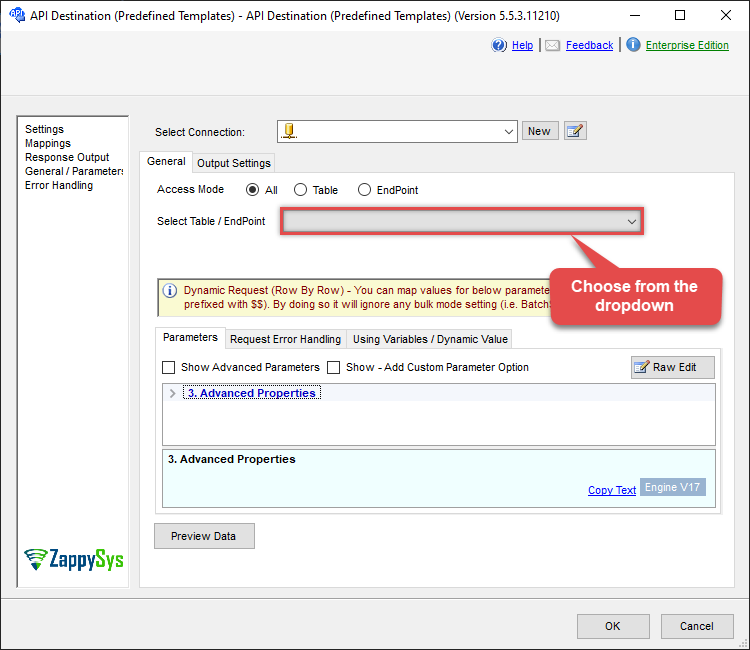
API Destination
API Destination - Outlook Mail (Office 365)
Read and write Microsoft Outlook Mail (Office 365) data effortlessly. Send, manage, and sync messages, attachments, and folders — almost no coding required.
Outlook Mail (Office 365)
Get Message Attachment
| Required Parameters | |
|---|---|
| User ID or Email | Fill-in the parameter... |
| Message ID | Fill-in the parameter... |
| Attachment ID | Fill-in the parameter... |
ODBC application
Use these SQL queries in your ODBC application data source:
Read an attachment by ID
<p>Gets a single attachment by message ID and attachment ID. Supply both IDs in the <code>WITH</code> clause.</p>
SELECT * FROM get_message_attachment
WITH (MessageId='AAXkADIwNzNhODMyLTZiMTQtNDhiMC02OWQzLTc5YTY5M2IyMjk0NABGAyAAAACbj2hVuNphT74wylrfU4ixBwAbUV6IxRnpQrqzrb2WfacdAAAAAAEMAAAbUV6IxRnpQrqzrb2WfacdAAAysBnxAAA=',
AttachmentId='AAMkADIwNzNhODMyLTZiMTQtNDhiM704OWQzLTc5YTY5M2IyMjk0NABGAAqAAACbj2hVuNphT74wylrfU4ixBwAbUV6IxRnpQrqzrb2WfacdAABBAAEMAAAbUV6IxRnpQrqzrb2WfacdAAAysB9xAAABEgAQAK6dg4NuEa5Fmn_5Tp_D_XM=')
SQL Server
Use these SQL queries in SQL Server after you create a data source in Data Gateway:
Read an attachment by ID
<p>Gets a single attachment by message ID and attachment ID. Supply both IDs in the <code>WITH</code> clause.</p>
DECLARE @MyQuery NVARCHAR(MAX) = 'SELECT * FROM get_message_attachment
WITH (MessageId=''AAXkADIwNzNhODMyLTZiMTQtNDhiMC02OWQzLTc5YTY5M2IyMjk0NABGAyAAAACbj2hVuNphT74wylrfU4ixBwAbUV6IxRnpQrqzrb2WfacdAAAAAAEMAAAbUV6IxRnpQrqzrb2WfacdAAAysBnxAAA='',
AttachmentId=''AAMkADIwNzNhODMyLTZiMTQtNDhiM704OWQzLTc5YTY5M2IyMjk0NABGAAqAAACbj2hVuNphT74wylrfU4ixBwAbUV6IxRnpQrqzrb2WfacdAABBAAEMAAAbUV6IxRnpQrqzrb2WfacdAAAysB9xAAABEgAQAK6dg4NuEa5Fmn_5Tp_D_XM='')';

EXEC (@MyQuery) AT [LS_TO_OUTLOOK_MAIL_OFFICE_365_IN_GATEWAY];