

Endpoint Delete Message by Id (Single)
Name
delete_message
Description
Delete message by Id for a specific mailbox and folder
Parameters
| Parameter | Required | Options |
|---|---|---|
|
Name:
Label: MessageId |
YES | |
|
Name:
Label: User ID or Email The Microsoft Mail user ID GUID or email address for the account to read messages from. (Examples: '4ff54a77-9c09-4274-958f-83bdc0a53900' or 'first.last@domain.com'). To populate this drop down (GET /users), User Credentials need User.ReadBasic.All delegated scope (in the default list; regenerate token after adding). Add User.Read.All only if you need full user profiles. Application Credentials need User.Read.All application permission with admin consent in Azure Portal. You can also type a user id or email manually if listing fails. |
YES | |
|
Name:
Label: MailFolderId |
Output Columns
| Label | Data Type (SSIS) | Data Type (SQL) | Length | Description |
|---|---|---|---|---|
| Status |
DT_STR
|
varchar(10)
|
10 | |
| StatusCode |
DT_I4
|
int
|
||
| MessageId |
DT_STR
|
varchar(255)
|
255 | |
| UserId |
DT_STR
|
varchar(255)
|
255 | |
| MailFolderId |
DT_STR
|
varchar(255)
|
255 | |
| ErrorCode |
DT_WSTR
|
nvarchar(1000)
|
1000 | |
| ErrorMessage |
DT_WSTR
|
nvarchar(1000)
|
1000 |
Input Columns
| Label | Data Type (SSIS) | Data Type (SQL) | Length | Description | |||||||||||||||||||||||||||||||||||||||||||||||||||||||||||||||||||||||||||||||||||||||||||||||
|---|---|---|---|---|---|---|---|---|---|---|---|---|---|---|---|---|---|---|---|---|---|---|---|---|---|---|---|---|---|---|---|---|---|---|---|---|---|---|---|---|---|---|---|---|---|---|---|---|---|---|---|---|---|---|---|---|---|---|---|---|---|---|---|---|---|---|---|---|---|---|---|---|---|---|---|---|---|---|---|---|---|---|---|---|---|---|---|---|---|---|---|---|---|---|---|---|---|---|---|
| There are no Static columns defined for this endpoint. This endpoint detects columns dynamically at runtime. | |||||||||||||||||||||||||||||||||||||||||||||||||||||||||||||||||||||||||||||||||||||||||||||||||||
Examples
SSIS
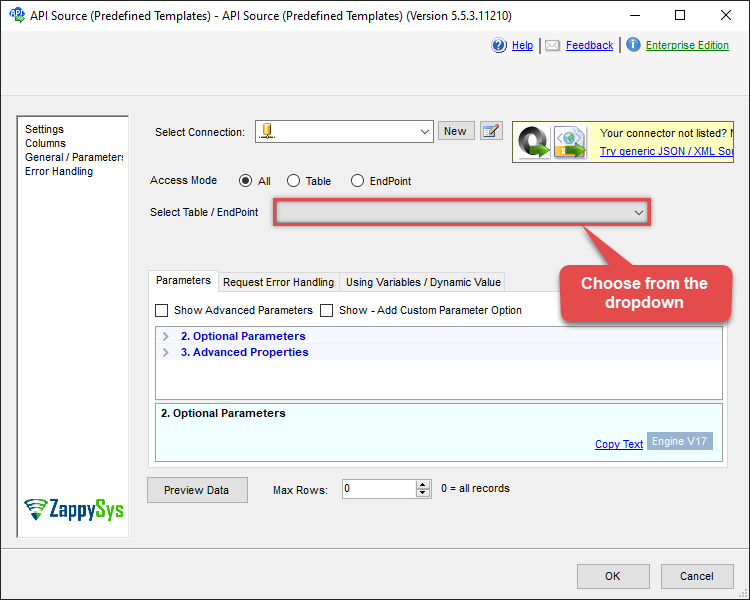
Use Outlook Mail (Office 365) Connector in API Source or in API Destination SSIS Data Flow components to read or write data.
API Source

| Required Parameters | |
|---|---|
| MessageId | Fill-in the parameter... |
| User ID or Email | Fill-in the parameter... |
| Optional Parameters | |
| MailFolderId | |
| Continue processing on 404 error | True |
| ConsumeResponseOnError | True |
| EnableCustomReplace | True |
| SearchFor | ^\s*$--regex |
| ReplaceWith | {} |
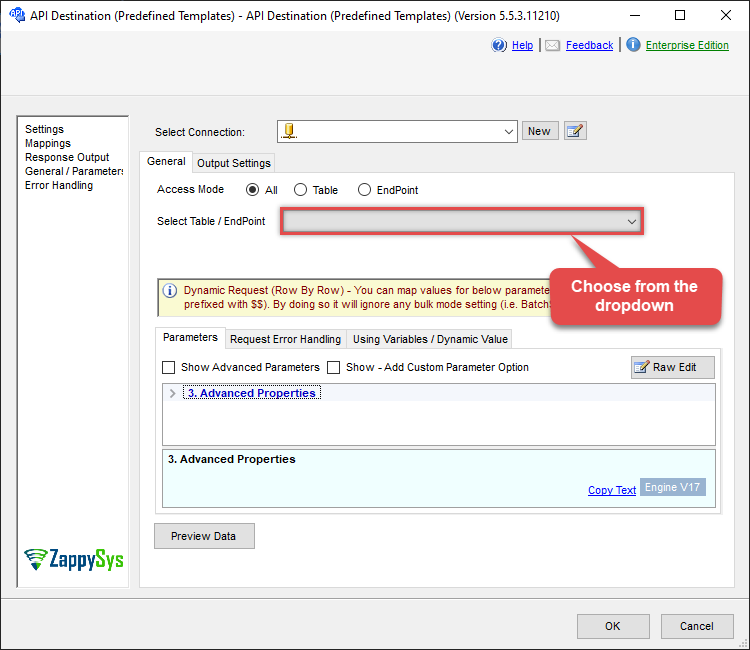
API Destination
| Required Parameters | |
|---|---|
| MessageId | Fill-in the parameter... |
| User ID or Email | Fill-in the parameter... |
| Optional Parameters | |
| MailFolderId | |
| Continue processing on 404 error | True |
| ConsumeResponseOnError | True |
| EnableCustomReplace | True |
| SearchFor | ^\s*$--regex |
| ReplaceWith | {} |
ODBC application
Use these SQL queries in your ODBC application data source:
Delete a message by ID
<p>Deletes a single message by ID. Supply <code>MessageId</code> and optionally User Id and MailFolder Id in the <code>WITH</code> clause.</p>
SELECT * FROM delete_message
WITH(
	  UserId='me',
	  --UserId='1487fe8b-f09f-4015-a817-b8b9fe2a3edc', --OR use Id
	  --UserId='myname@company.com', --OR use email

	  MessageId='AAMkADliN2......iS7RK5Ny-I3JFHGAAZRll7aAAA=',
 	  MailFolderId='INBOX' --OR use mailbox ID
)
SQL Server
Use these SQL queries in SQL Server after you create a data source in Data Gateway:
Delete a message by ID
<p>Deletes a single message by ID. Supply <code>MessageId</code> and optionally User Id and MailFolder Id in the <code>WITH</code> clause.</p>
DECLARE @MyQuery NVARCHAR(MAX) = 'SELECT * FROM delete_message
WITH(
	  UserId=''me'',
	  --UserId=''1487fe8b-f09f-4015-a817-b8b9fe2a3edc'', --OR use Id
	  --UserId=''myname@company.com'', --OR use email

	  MessageId=''AAMkADliN2......iS7RK5Ny-I3JFHGAAZRll7aAAA='',
 	  MailFolderId=''INBOX'' --OR use mailbox ID
)';

EXEC (@MyQuery) AT [LS_TO_OUTLOOK_MAIL_OFFICE_365_IN_GATEWAY];