

Endpoint Get List of Queries
Name
get_queries
Description
Gets a list of predefined queries within the organization. [API reference]
Parameters
| Parameter | Required | Options |
|---|---|---|
|
Name:
Label: Project Name The Name of the project. |
YES | |
|
Name:
Label: Max Depth (items inside nested folders) |
Output Columns
| Label | Data Type (SSIS) | Data Type (SQL) | Length | Description |
|---|---|---|---|---|
| Id |
DT_WSTR
|
nvarchar(200)
|
200 | |
| Name |
DT_WSTR
|
nvarchar(200)
|
200 | |
| Path |
DT_WSTR
|
nvarchar(200)
|
200 | |
| Url |
DT_WSTR
|
nvarchar(2048)
|
2048 | |
| CreatedDate |
DT_DBTIMESTAMP
|
datetime
|
||
| LastModifiedDate |
DT_DBTIMESTAMP
|
datetime
|
||
| IsFolder |
DT_BOOL
|
bit
|
||
| HasChildren |
DT_BOOL
|
bit
|
||
| CreatedByName |
DT_WSTR
|
nvarchar(255)
|
255 | |
| CreatedByUniqueName |
DT_WSTR
|
nvarchar(255)
|
255 | |
| CreatedById |
DT_WSTR
|
nvarchar(200)
|
200 | |
| LastModifiedByName |
DT_WSTR
|
nvarchar(255)
|
255 | |
| LastModifiedByUniqueName |
DT_WSTR
|
nvarchar(255)
|
255 | |
| LastModifiedById |
DT_WSTR
|
nvarchar(200)
|
200 |
Input Columns
| Label | Data Type (SSIS) | Data Type (SQL) | Length | Description | |||||||||||||||||||||||||||||||||||||||||||||||||||||||||||||||||||||||||||||||||||||||||||||||
|---|---|---|---|---|---|---|---|---|---|---|---|---|---|---|---|---|---|---|---|---|---|---|---|---|---|---|---|---|---|---|---|---|---|---|---|---|---|---|---|---|---|---|---|---|---|---|---|---|---|---|---|---|---|---|---|---|---|---|---|---|---|---|---|---|---|---|---|---|---|---|---|---|---|---|---|---|---|---|---|---|---|---|---|---|---|---|---|---|---|---|---|---|---|---|---|---|---|---|---|
| There are no Static columns defined for this endpoint. This endpoint detects columns dynamically at runtime. | |||||||||||||||||||||||||||||||||||||||||||||||||||||||||||||||||||||||||||||||||||||||||||||||||||
Examples
SSIS
Use Azure DevOps Connector in API Source or in API Destination SSIS Data Flow components to read or write data.
API Source

| Required Parameters | |
|---|---|
| Project Name | Fill-in the parameter... |
| Optional Parameters | |
| Max Depth (items inside nested folders) | 2 |

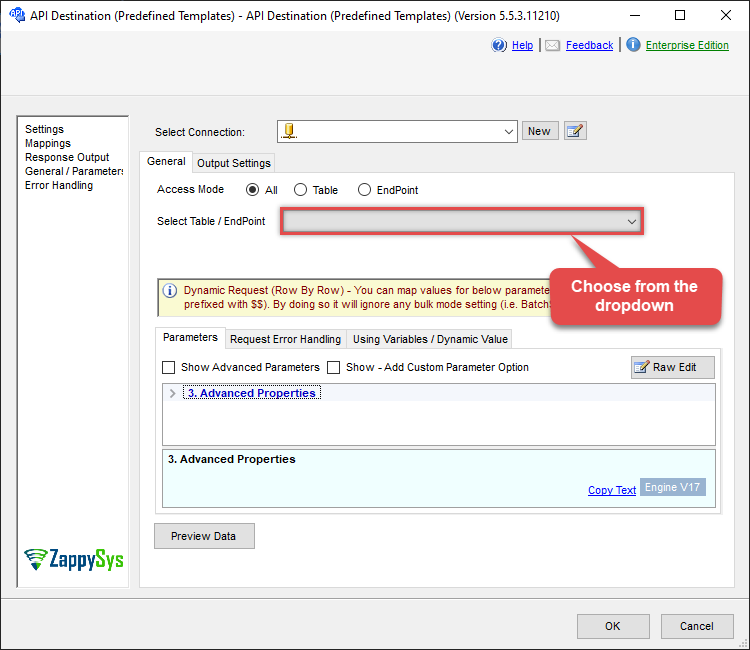
API Destination
| Required Parameters | |
|---|---|
| Project Name | Fill-in the parameter... |
| Optional Parameters | |
| Max Depth (items inside nested folders) | 2 |
ODBC application
Use these SQL queries in your ODBC application data source:
List predefined queries
<p>Returns the list of saved queries (shared and optionally personal) for the project. Each row includes the query ID, name, path, and other metadata. Use the query ID from this result in the "Get work items by predefined query ID" example to run a saved query and get its work items. Specify the project in the WITH clause.</p>
SELECT * FROM get_queries
WITH(
	Project='Odbc'
)
SQL Server
Use these SQL queries in SQL Server after you create a data source in Data Gateway:
List predefined queries
<p>Returns the list of saved queries (shared and optionally personal) for the project. Each row includes the query ID, name, path, and other metadata. Use the query ID from this result in the "Get work items by predefined query ID" example to run a saved query and get its work items. Specify the project in the WITH clause.</p>
DECLARE @MyQuery NVARCHAR(MAX) = 'SELECT * FROM get_queries
WITH(
	Project=''Odbc''
)';

EXEC (@MyQuery) AT [LS_TO_AZURE_DEVOPS_IN_GATEWAY];