Salesforce Connector for Python How to Test Connection
Introduction
In this article we will delve deeper into Salesforce and Python integration, and will learn how to test connection. We are continuing from where we left off. By this time, you must have installed ODBC PowerPack, created ODBC Data Source, and configured authentication settings in your Salesforce account .
So, let's not waste time and begin.
Use Query Builder to generate SQL query
-
The first thing you have to do is open Query Builder:
 ZappySys API Driver - SalesforceAmazon Ads Connector can be used to get Amazon advertisements using Amazon Advertisements API, download various advertisement-related reports.SalesforceDSN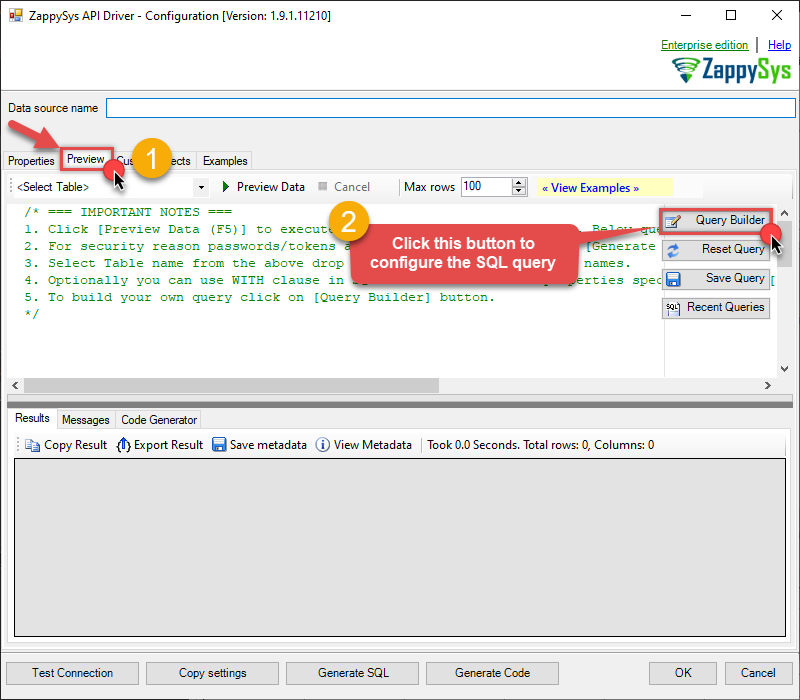
-
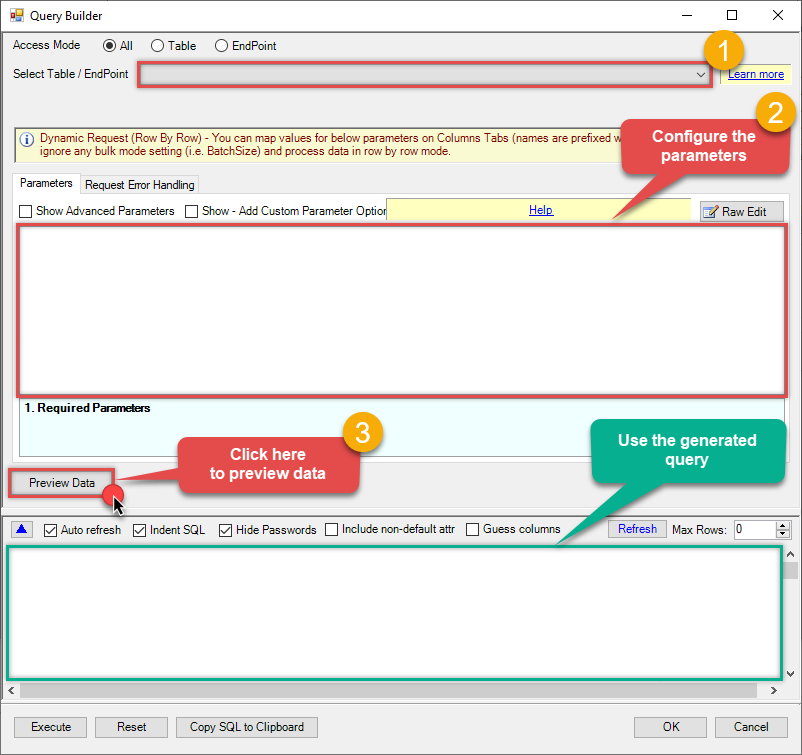
Then simply select the Test Connection endpoint (action).
-
Continue by configuring the Required parameters. You can also set optional parameters too.
-
Move on by hitting Preview Data button to preview the results.
-
If you see the results you need, simply copy the generated query:
-
That's it! You can use this query in Python.
Let's not stop here and explore SQL query examples, including how to use them in Stored Procedures and Views (virtual tables) in the next steps.
SQL query examples
Use these SQL queries in your Python data source:
How to Test connection
SELECT * FROM test_connectionTest Connection in Python
-
Use this code snippet to read the data using
SalesforceDSNdata source:SalesforceDSN')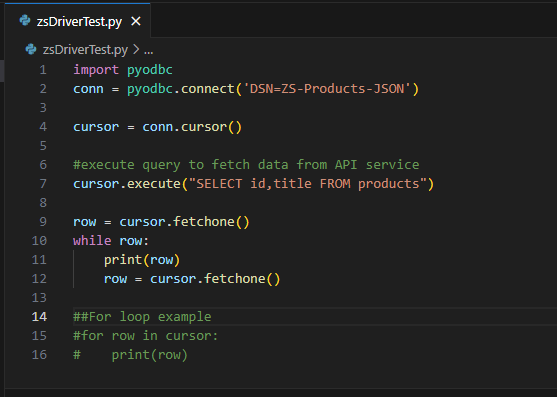
-
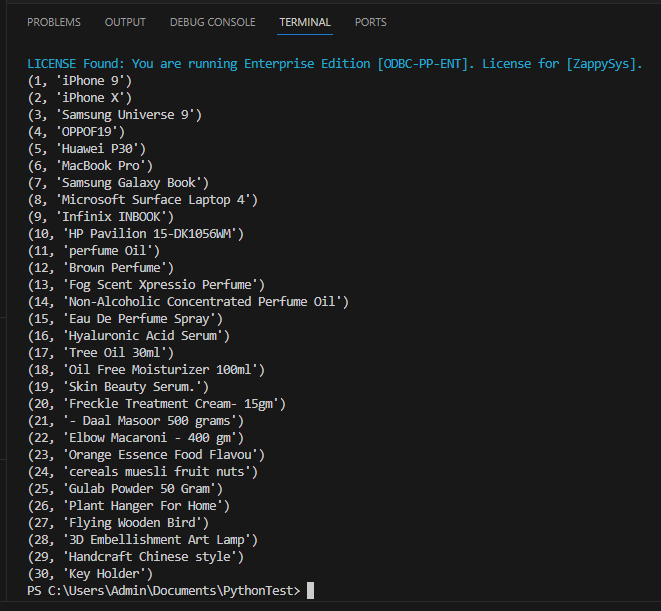
When you run the code it will make the API call and read the data:
-
Here is Python program's code in text format:
    import pyodbc
    conn = pyodbc.connect('DSN=SalesforceDSN')

    cursor = conn.cursor()

    #execute query to fetch data from API service
    cursor.execute("SELECT id,title FROM products")

    row = cursor.fetchone()
    while row:
        print(row)
        row = cursor.fetchone()

    ##For loop example
    #for row in cursor:
    #    print(row)
More actions supported by Salesforce Connector
Learn how to perform other actions directly in Python with these how-to guides:
- Get Beta Report
- Get Profiles
- Get Report
- Make Generic API Request
- Make Generic API Request (Bulk Write)