
Stored procedures for ODBC and Data Gateway
T-SQL is a programming language used for managing and querying data in Microsoft SQL Server databases. We provide tools for data integration, automation, and connectivity.
If you want to use T-SQL with ZappySys, you can use our Connector, which allows you to connect to SQL Server databases and execute T-SQL queries from Smartsheet.
Creating SQL stored procedures
You can create procedures to encapsulate custom logic and then only pass handful parameters rather than long SQL to execute your API call.
Steps to create Custom Stored Procedure in ZappySys Driver. You can insert Placeholders anywhere inside Procedure Body. Read more about placeholders here
-
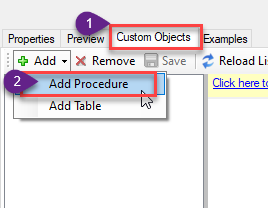
Go to Custom Objects Tab and Click on Add button and Select Add Procedure:
-
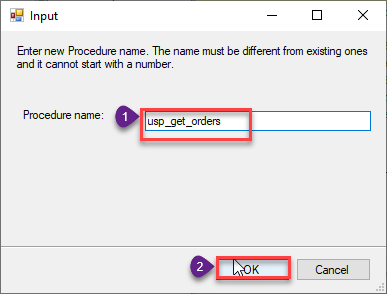
Enter the desired Procedure name and click on OK:
-
Select the created Stored Procedure and write the your desired stored procedure and Save it and it will create the custom stored procedure in the ZappySys Driver. Here is an example stored procedure for ZappySys Driver. You can insert Placeholders anywhere inside Procedure Body. Read more about placeholders here
CREATE PROCEDURE [usp_get_orders]
    @fromdate = '<<yyyy-MM-dd,FUN_TODAY>>'
 AS
    SELECT * FROM Orders where OrderDate >= '<@fromdate>';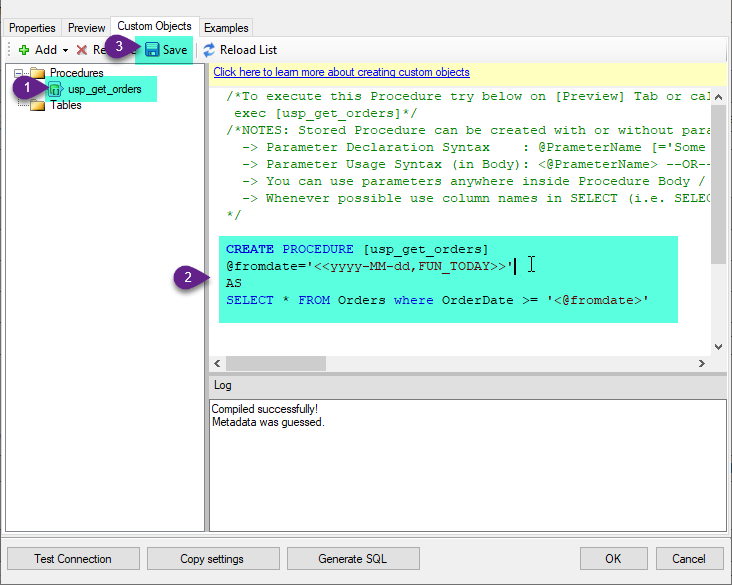
-
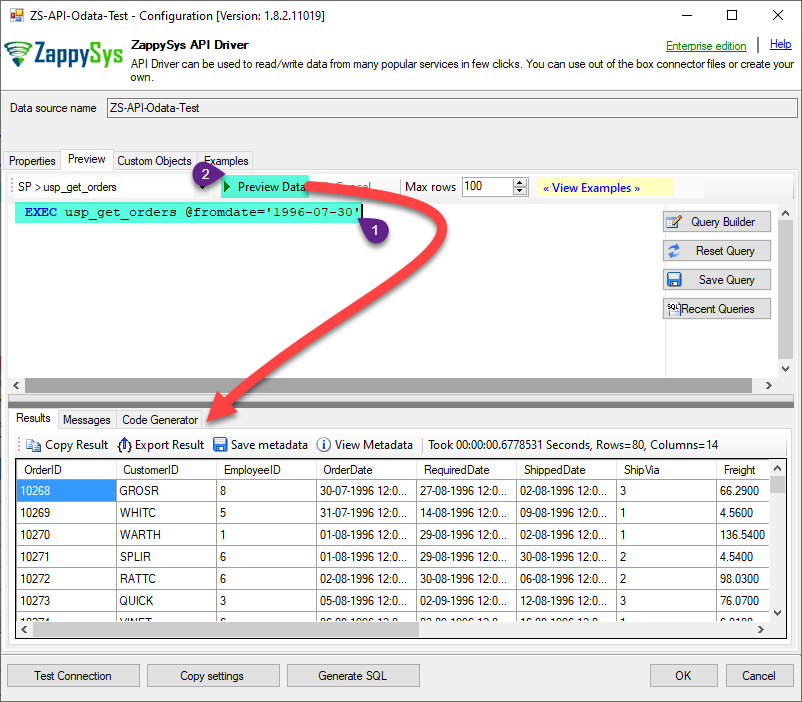
That's it now go to Preview Tab and Execute your Stored Procedure using Exec Command. In this example it will extract the orders from the date 1996-01-01:
Exec usp_get_orders '1996-01-01';