

Endpoint Get Table Row Count
Name
get_table_row_count
Description
Get table row count (count for all rows or for specified query filter) [API reference]
Parameters
| Parameter | Required | Options | ||||||||||||||||||||||||||||||||||||||||||||||||||||
|---|---|---|---|---|---|---|---|---|---|---|---|---|---|---|---|---|---|---|---|---|---|---|---|---|---|---|---|---|---|---|---|---|---|---|---|---|---|---|---|---|---|---|---|---|---|---|---|---|---|---|---|---|---|---|
|
Name:
Label: TableName Table name |
YES | |||||||||||||||||||||||||||||||||||||||||||||||||||||
|
Name:
Label: Query / Order By (Server Side Filter) Server-side encoded query for filtering and ordering records. Supports string, numeric, date, NULL checks, AND/OR logic, and ORDER BY clauses. |
|
Output Columns
| Label | Data Type (SSIS) | Data Type (SQL) | Length | Description |
|---|---|---|---|---|
| count |
DT_I8
|
bigint
|
Input Columns
| Label | Data Type (SSIS) | Data Type (SQL) | Length | Description | |||||||||||||||||||||||||||||||||||||||||||||||||||||||||||||||||||||||||||||||||||||||||||||||
|---|---|---|---|---|---|---|---|---|---|---|---|---|---|---|---|---|---|---|---|---|---|---|---|---|---|---|---|---|---|---|---|---|---|---|---|---|---|---|---|---|---|---|---|---|---|---|---|---|---|---|---|---|---|---|---|---|---|---|---|---|---|---|---|---|---|---|---|---|---|---|---|---|---|---|---|---|---|---|---|---|---|---|---|---|---|---|---|---|---|---|---|---|---|---|---|---|---|---|---|
| There are no Static columns defined for this endpoint. This endpoint detects columns dynamically at runtime. | |||||||||||||||||||||||||||||||||||||||||||||||||||||||||||||||||||||||||||||||||||||||||||||||||||
Examples
SSIS
Use ServiceNow Connector in API Source or in API Destination SSIS Data Flow components to read or write data.
API Source

| Required Parameters | |
|---|---|
| TableName | Fill-in the parameter... |
| Optional Parameters | |
| Query / Order By (Server Side Filter) | |

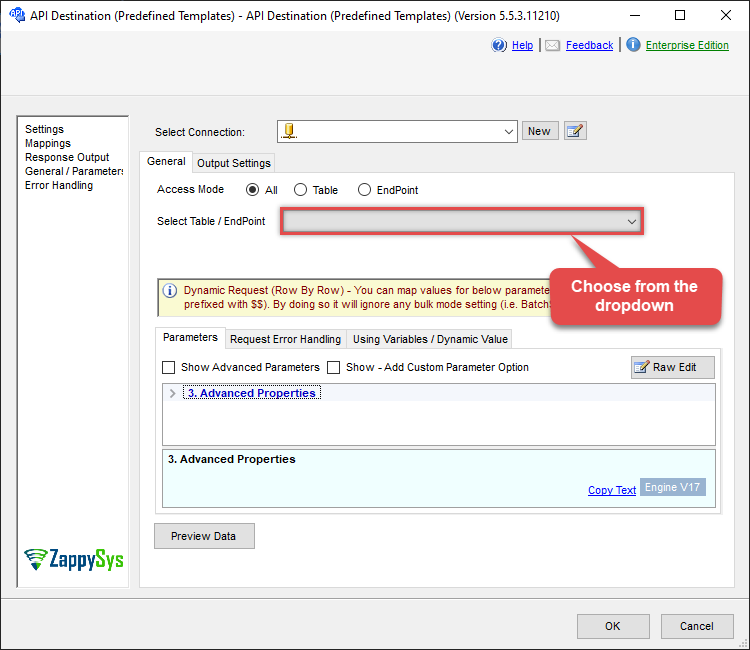
API Destination
| Required Parameters | |
|---|---|
| TableName | Fill-in the parameter... |
| Optional Parameters | |
| Query / Order By (Server Side Filter) | |
ODBC application
Use these SQL queries in your ODBC application data source:
Read table row count
<p>This example demonstrates how to retrieve the total number of rows in a ServiceNow table using the <code>get_table_row_count</code> endpoint.</p> <p>The row count is calculated <strong>server-side</strong> using <code>sysparm_count=true</code>, which is significantly faster and more efficient than downloading records and counting them client-side.</p> <p>You can optionally apply a server-side filter using the <code>Query</code> parameter to count only matching rows (for example, high-priority incidents or active records).</p>
-- Count ALL records in the Incident table
-- Uses server-side counting (no data rows are downloaded)
SELECT count
FROM get_table_row_count
WITH(
	TableName='incident'
)

-- Count only HIGH PRIORITY incidents (priority = 1)
-- The Query parameter applies an encoded ServiceNow filter before counting
SELECT count
FROM get_table_row_count
WITH(
	TableName='incident',
	Query='priority=1'
)
SQL Server
Use these SQL queries in SQL Server after you create a data source in Data Gateway:
Read table row count
<p>This example demonstrates how to retrieve the total number of rows in a ServiceNow table using the <code>get_table_row_count</code> endpoint.</p> <p>The row count is calculated <strong>server-side</strong> using <code>sysparm_count=true</code>, which is significantly faster and more efficient than downloading records and counting them client-side.</p> <p>You can optionally apply a server-side filter using the <code>Query</code> parameter to count only matching rows (for example, high-priority incidents or active records).</p>
DECLARE @MyQuery NVARCHAR(MAX) = '-- Count ALL records in the Incident table
-- Uses server-side counting (no data rows are downloaded)
SELECT count
FROM get_table_row_count
WITH(
	TableName=''incident''
)

-- Count only HIGH PRIORITY incidents (priority = 1)
-- The Query parameter applies an encoded ServiceNow filter before counting
SELECT count
FROM get_table_row_count
WITH(
	TableName=''incident'',
	Query=''priority=1''
)';

EXEC (@MyQuery) AT [LS_TO_SERVICENOW_IN_GATEWAY];