

Endpoint Get Report Data - JSON File
Name
get_report_json
Description
Returns data from the specified report type. You can check following link for various available reports (list updated frequently), you can access report based on API Key role / permission, participation (e.g. Vendor/Seller), seller market place etc http://docs.developer.amazonservices.com/en_US/reports/Reports_ReportType.html. Depending on which Report you choose, it can take upto 30 minutes to generate report. Also some reports have strict limits on how many times you can access per hour (e.g. 2 times per 30 minutes). Check documentation for call limits.
Parameters
| Parameter | Required | Options | ||||||||||||||||||||||||||||||||||||||||||||||
|---|---|---|---|---|---|---|---|---|---|---|---|---|---|---|---|---|---|---|---|---|---|---|---|---|---|---|---|---|---|---|---|---|---|---|---|---|---|---|---|---|---|---|---|---|---|---|---|---|
|
Name:
Label: ReportType |
YES | |||||||||||||||||||||||||||||||||||||||||||||||
|
Name:
Label: Filter for JSON File |
YES | |||||||||||||||||||||||||||||||||||||||||||||||
|
Name:
Label: MarketplaceIds |
YES |
|
||||||||||||||||||||||||||||||||||||||||||||||
|
Name:
Label: StartDate Report Start date if applicable - Must be UTC date in ISO format e.g. (2020-01-31T00:00:00Z). You can use static values or date functions. Supported functions are now|today|yesterday|weekstart|weekend|monthstart|monthend|yearstart|yearend and supported intervals for add/subtract are ms|s|sec|min|h|hour|y|year|d|day|m|month|y|year. Example monthstart-3d (subtract 3days from month start) |
|
|||||||||||||||||||||||||||||||||||||||||||||||
|
Name:
Label: EndDate Report End date if applicable - Must be UTC date in ISO format e.g. (2020-01-31T00:00:00Z). You can use static values or date functions. Supported functions are now|today|yesterday|weekstart|weekend|monthstart|monthend|yearstart|yearend and supported intervals for add/subtract are ms|s|sec|min|h|hour|y|year|d|day|m|month|y|year. Example monthstart-3d (subtract 3days from month start) |
|
|||||||||||||||||||||||||||||||||||||||||||||||
|
Name:
Label: ReportOptions |
Output Columns
| Label | Data Type (SSIS) | Data Type (SQL) | Length | Description | |||||||||||||||||||||||||||||||||||||||||||||||||||||||||||||||||||||||||||||||||||||||||||||||
|---|---|---|---|---|---|---|---|---|---|---|---|---|---|---|---|---|---|---|---|---|---|---|---|---|---|---|---|---|---|---|---|---|---|---|---|---|---|---|---|---|---|---|---|---|---|---|---|---|---|---|---|---|---|---|---|---|---|---|---|---|---|---|---|---|---|---|---|---|---|---|---|---|---|---|---|---|---|---|---|---|---|---|---|---|---|---|---|---|---|---|---|---|---|---|---|---|---|---|---|
| There are no Static columns defined for this endpoint. This endpoint detects columns dynamically at runtime. | |||||||||||||||||||||||||||||||||||||||||||||||||||||||||||||||||||||||||||||||||||||||||||||||||||
Input Columns
| Label | Data Type (SSIS) | Data Type (SQL) | Length | Description | |||||||||||||||||||||||||||||||||||||||||||||||||||||||||||||||||||||||||||||||||||||||||||||||
|---|---|---|---|---|---|---|---|---|---|---|---|---|---|---|---|---|---|---|---|---|---|---|---|---|---|---|---|---|---|---|---|---|---|---|---|---|---|---|---|---|---|---|---|---|---|---|---|---|---|---|---|---|---|---|---|---|---|---|---|---|---|---|---|---|---|---|---|---|---|---|---|---|---|---|---|---|---|---|---|---|---|---|---|---|---|---|---|---|---|---|---|---|---|---|---|---|---|---|---|
| There are no Static columns defined for this endpoint. This endpoint detects columns dynamically at runtime. | |||||||||||||||||||||||||||||||||||||||||||||||||||||||||||||||||||||||||||||||||||||||||||||||||||
Examples
SSIS
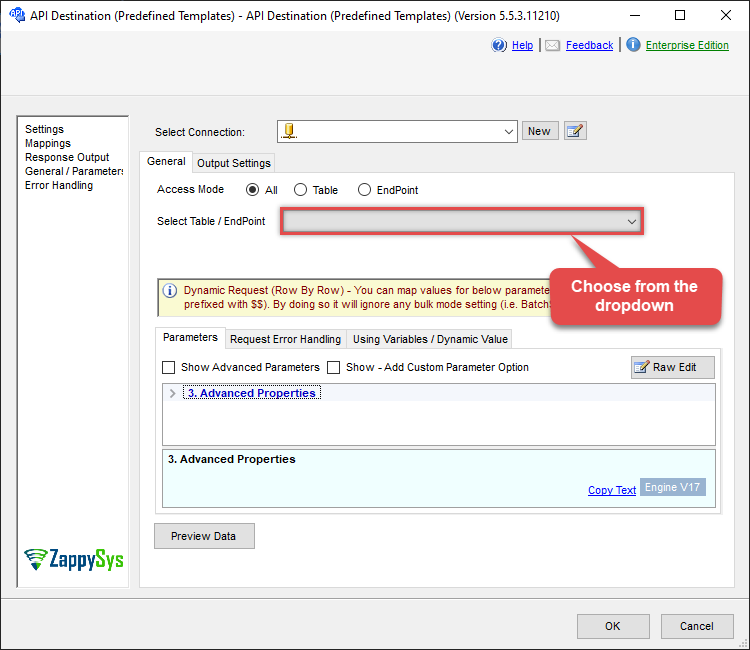
Use Amazon Selling Partner (SP-API) Connector in API Source or in API Destination SSIS Data Flow components to read or write data.
API Source

| Required Parameters | |
|---|---|
| ReportType | Fill-in the parameter... |
| Filter for JSON File | Fill-in the parameter... |

API Destination
| Required Parameters | |
|---|---|
| ReportType | Fill-in the parameter... |
| Filter for JSON File | Fill-in the parameter... |
ODBC application
Use these SQL queries in your ODBC application data source:
Get report data - json file
SELECT * FROM get_report_json
WITH
(
    "ReportType" = 'abcd-1234-reporttype',
    "Filter" = 'abcd-1234-filter'
)
SQL Server
Use these SQL queries in SQL Server after you create a data source in Data Gateway:
Get report data - json file
DECLARE @MyQuery NVARCHAR(MAX) = 'SELECT * FROM get_report_json
WITH
(
    "ReportType" = ''abcd-1234-reporttype'',
    "Filter" = ''abcd-1234-filter''
)';

EXEC (@MyQuery) AT [LS_TO_AMAZON_SELLING_PARTNER_SP_API_IN_GATEWAY];