

Endpoint Get Report Count
Name
GetReportCount
Description
Returns a count of the reports, created in the previous 90 days, with a status of _DONE_ and that are available for download. [API reference]
Parameters
| Parameter | Required | Options | ||||||||||||||||||||||||||||||||||||||||||||||||||||||||||||||||||||||||||||||||||||||||||||||||||||||||||||||||||||||||||||||||||||||||||||||||||||||||||||||||||
|---|---|---|---|---|---|---|---|---|---|---|---|---|---|---|---|---|---|---|---|---|---|---|---|---|---|---|---|---|---|---|---|---|---|---|---|---|---|---|---|---|---|---|---|---|---|---|---|---|---|---|---|---|---|---|---|---|---|---|---|---|---|---|---|---|---|---|---|---|---|---|---|---|---|---|---|---|---|---|---|---|---|---|---|---|---|---|---|---|---|---|---|---|---|---|---|---|---|---|---|---|---|---|---|---|---|---|---|---|---|---|---|---|---|---|---|---|---|---|---|---|---|---|---|---|---|---|---|---|---|---|---|---|---|---|---|---|---|---|---|---|---|---|---|---|---|---|---|---|---|---|---|---|---|---|---|---|---|---|---|---|---|---|---|---|
|
Name:
Label: AmazonOrderId A list of AmazonOrderId values. An AmazonOrderId is an Amazon-defined order identifier, in 3-7-7 format. (Example: 058-1233752-8214740). |
YES | |||||||||||||||||||||||||||||||||||||||||||||||||||||||||||||||||||||||||||||||||||||||||||||||||||||||||||||||||||||||||||||||||||||||||||||||||||||||||||||||||||
|
Name:
Label: ReportTypeList |
|
|||||||||||||||||||||||||||||||||||||||||||||||||||||||||||||||||||||||||||||||||||||||||||||||||||||||||||||||||||||||||||||||||||||||||||||||||||||||||||||||||||
|
Name:
Label: Acknowledged A Boolean value that indicates if an order report has been acknowledged by a prior call to UpdateReportAcknowledgements. Set to true to list order reports that have been acknowledged; set to false to list order reports that have not been acknowledged. This filter is valid only with order reports; it does not work with listing reports. |
|
|||||||||||||||||||||||||||||||||||||||||||||||||||||||||||||||||||||||||||||||||||||||||||||||||||||||||||||||||||||||||||||||||||||||||||||||||||||||||||||||||||
|
Name:
Label: AvailableFromDate The earliest date you are looking for. Date format must be UTC - ISO 8601 format (e.g. 2017-02-10T12:10:02Z) |
||||||||||||||||||||||||||||||||||||||||||||||||||||||||||||||||||||||||||||||||||||||||||||||||||||||||||||||||||||||||||||||||||||||||||||||||||||||||||||||||||||
|
Name:
Label: AvailableToDate The most recent date you are looking for. Date format must be UTC - ISO 8601 format (e.g. 2017-02-10T12:10:02Z) |
||||||||||||||||||||||||||||||||||||||||||||||||||||||||||||||||||||||||||||||||||||||||||||||||||||||||||||||||||||||||||||||||||||||||||||||||||||||||||||||||||||
|
Name:
Label: Version |
Output Columns
| Label | Data Type (SSIS) | Data Type (SQL) | Length | Description | |||||||||||||||||||||||||||||||||||||||||||||||||||||||||||||||||||||||||||||||||||||||||||||||
|---|---|---|---|---|---|---|---|---|---|---|---|---|---|---|---|---|---|---|---|---|---|---|---|---|---|---|---|---|---|---|---|---|---|---|---|---|---|---|---|---|---|---|---|---|---|---|---|---|---|---|---|---|---|---|---|---|---|---|---|---|---|---|---|---|---|---|---|---|---|---|---|---|---|---|---|---|---|---|---|---|---|---|---|---|---|---|---|---|---|---|---|---|---|---|---|---|---|---|---|
| There are no Static columns defined for this endpoint. This endpoint detects columns dynamically at runtime. | |||||||||||||||||||||||||||||||||||||||||||||||||||||||||||||||||||||||||||||||||||||||||||||||||||
If the column you are looking for is missing, consider customizing Amazon MWS Connector.
Input Columns
| Label | Data Type (SSIS) | Data Type (SQL) | Length | Description | |||||||||||||||||||||||||||||||||||||||||||||||||||||||||||||||||||||||||||||||||||||||||||||||
|---|---|---|---|---|---|---|---|---|---|---|---|---|---|---|---|---|---|---|---|---|---|---|---|---|---|---|---|---|---|---|---|---|---|---|---|---|---|---|---|---|---|---|---|---|---|---|---|---|---|---|---|---|---|---|---|---|---|---|---|---|---|---|---|---|---|---|---|---|---|---|---|---|---|---|---|---|---|---|---|---|---|---|---|---|---|---|---|---|---|---|---|---|---|---|---|---|---|---|---|
| There are no Static columns defined for this endpoint. This endpoint detects columns dynamically at runtime. | |||||||||||||||||||||||||||||||||||||||||||||||||||||||||||||||||||||||||||||||||||||||||||||||||||
Examples
SSIS
Use Amazon MWS Connector in API Source or in API Destination SSIS Data Flow components to read or write data.
API Source

API Source - Amazon MWS
Read and write Amazon MWS data effortlessly. Integrate, manage, and automate listings, orders, payments, and reports — almost no coding required.
Amazon MWS
Get Report Count
| Required Parameters | |
|---|---|
| AmazonOrderId | Fill-in the parameter... |
| Optional Parameters | |
| ReportTypeList | |
| Acknowledged | |
| AvailableFromDate | |
| AvailableToDate | |
| Version | 2009-01-01 |

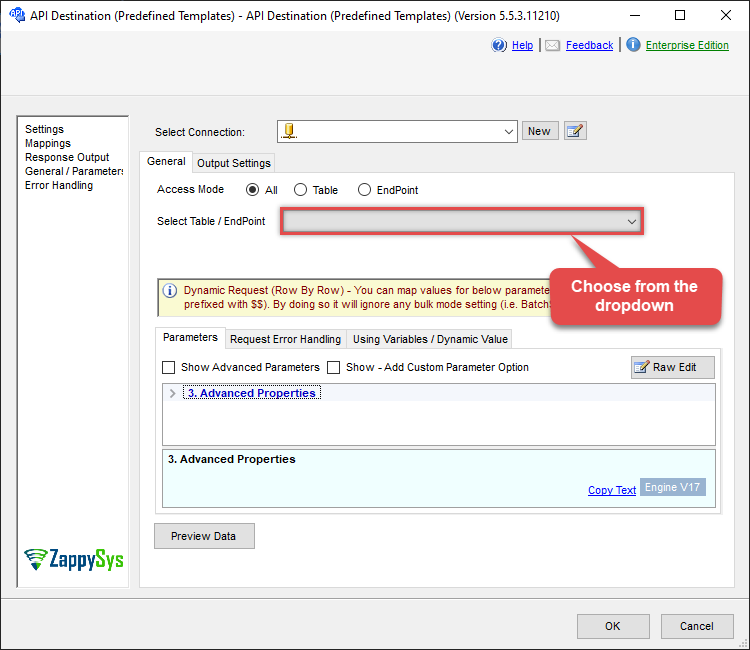
API Destination
API Destination - Amazon MWS
Read and write Amazon MWS data effortlessly. Integrate, manage, and automate listings, orders, payments, and reports — almost no coding required.
Amazon MWS
Get Report Count
| Required Parameters | |
|---|---|
| AmazonOrderId | Fill-in the parameter... |
| Optional Parameters | |
| ReportTypeList | |
| Acknowledged | |
| AvailableFromDate | |
| AvailableToDate | |
| Version | 2009-01-01 |
ODBC application
Use these SQL queries in your ODBC application data source:
Get report count
SELECT * FROM GetReportCount
WITH
(
    "AmazonOrderId" = 'abcd-1234-amazonorderid'
)
SQL Server
Use these SQL queries in SQL Server after you create a data source in Data Gateway:
Get report count
DECLARE @MyQuery NVARCHAR(MAX) = 'SELECT * FROM GetReportCount
WITH
(
    "AmazonOrderId" = ''abcd-1234-amazonorderid''
)';

EXEC (@MyQuery) AT [LS_TO_AMAZON_MWS_IN_GATEWAY];