

Endpoint Refresh a Dataflow
Name
refresh_dataflow
Description
Refresh Dataflow in default or specified Workspace. If WorkspaceId parameter is not supplied, default Workspace will be used. [API reference]
Parameters
| Parameter | Required | Options | ||||||
|---|---|---|---|---|---|---|---|---|
|
Name:
Label: Id |
YES | |||||||
|
Name:
Label: WorkspaceId |
||||||||
|
Name:
Label: Wait for completion |
|
Output Columns
| Label | Data Type (SSIS) | Data Type (SQL) | Length | Description |
|---|---|---|---|---|
| Id |
DT_STR
|
varchar(200)
|
200 | |
| RequestId |
DT_STR
|
varchar(100)
|
100 | |
| RefreshType |
DT_WSTR
|
nvarchar(50)
|
50 | |
| StartTime |
DT_DBTIMESTAMP
|
datetime
|
||
| EndTime |
DT_DBTIMESTAMP
|
datetime
|
||
| Status |
DT_WSTR
|
nvarchar(50)
|
50 | |
| HttpStatusCode |
DT_I4
|
int
|
Input Columns
| Label | Data Type (SSIS) | Data Type (SQL) | Length | Description | |||||||||||||||||||||||||||||||||||||||||||||||||||||||||||||||||||||||||||||||||||||||||||||||
|---|---|---|---|---|---|---|---|---|---|---|---|---|---|---|---|---|---|---|---|---|---|---|---|---|---|---|---|---|---|---|---|---|---|---|---|---|---|---|---|---|---|---|---|---|---|---|---|---|---|---|---|---|---|---|---|---|---|---|---|---|---|---|---|---|---|---|---|---|---|---|---|---|---|---|---|---|---|---|---|---|---|---|---|---|---|---|---|---|---|---|---|---|---|---|---|---|---|---|---|
| There are no Static columns defined for this endpoint. This endpoint detects columns dynamically at runtime. | |||||||||||||||||||||||||||||||||||||||||||||||||||||||||||||||||||||||||||||||||||||||||||||||||||
Examples
SSIS
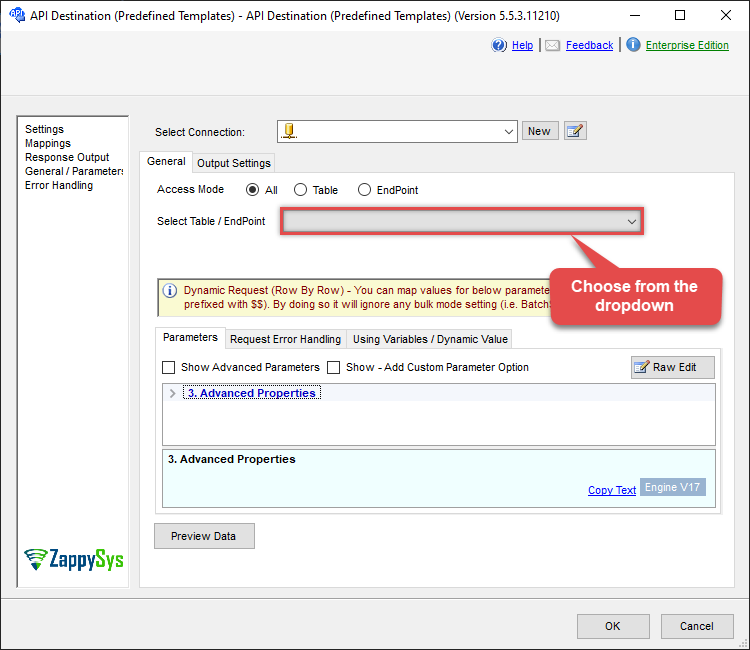
Use Power BI Service Connector in API Source or in API Destination SSIS Data Flow components to read or write data.
API Source

| Required Parameters | |
|---|---|
| Id | Fill-in the parameter... |
| Optional Parameters | |
| WorkspaceId | |
| Wait for completion | True |
| Initial wait (ms) | 3000 |
| Status check wait interval (s) | 5 |
| Maximum wait time (s) | 7200 |
| ContineOnErrorForMessage | True |
| ErrorSubstringToMatch | is currently in progress |
| EnableRawOutputModeSingleRow | True |

API Destination
| Required Parameters | |
|---|---|
| Id | Fill-in the parameter... |
| Optional Parameters | |
| WorkspaceId | |
| Wait for completion | True |
| Initial wait (ms) | 3000 |
| Status check wait interval (s) | 5 |
| Maximum wait time (s) | 7200 |
| ContineOnErrorForMessage | True |
| ErrorSubstringToMatch | is currently in progress |
| EnableRawOutputModeSingleRow | True |
ODBC application
Use these SQL queries in your ODBC application data source:
Refresh a dataflow
<p>Triggers a refresh for a specific dataflow. Supply <code>Id</code> in the <code>WHERE</code> clause.</p>
SELECT *
FROM refresh_dataflow
WHERE Id = 'aaaaaaaa-bbbb-cccc-dddd-eeeeeeeeeeee'
Refresh a dataflow (wait for completion)
<p>Triggers a dataflow refresh and waits for it to complete. Set <code>WaitForCompletion='True'</code> in the <code>WITH</code> clause.</p>
SELECT *
FROM refresh_dataflow
WHERE Id = 'aaaaaaaa-bbbb-cccc-dddd-eeeeeeeeeeee'
WITH (WaitForCompletion='True')

-- More info on refreshing a Dataflow:
-- https://learn.microsoft.com/en-us/rest/api/power-bi/dataflows/refresh-dataflow
Refresh a dataflow (async)
<p>Triggers a dataflow refresh and returns immediately (asynchronous). Set <code>WaitForCompletion='False'</code> in the <code>WITH</code> clause.</p>
SELECT *
FROM refresh_dataflow
WHERE Id = 'aaaaaaaa-bbbb-cccc-dddd-eeeeeeeeeeee'
WITH (WaitForCompletion='False')

-- More info on refreshing a Dataflow:
-- https://learn.microsoft.com/en-us/rest/api/power-bi/dataflows/refresh-dataflow
SQL Server
Use these SQL queries in SQL Server after you create a data source in Data Gateway:
Refresh a dataflow
<p>Triggers a refresh for a specific dataflow. Supply <code>Id</code> in the <code>WHERE</code> clause.</p>
DECLARE @MyQuery NVARCHAR(MAX) = 'SELECT *
FROM refresh_dataflow
WHERE Id = ''aaaaaaaa-bbbb-cccc-dddd-eeeeeeeeeeee''';

EXEC (@MyQuery) AT [LS_TO_POWER_BI_SERVICE_IN_GATEWAY];
Refresh a dataflow (wait for completion)
<p>Triggers a dataflow refresh and waits for it to complete. Set <code>WaitForCompletion='True'</code> in the <code>WITH</code> clause.</p>
DECLARE @MyQuery NVARCHAR(MAX) = 'SELECT *
FROM refresh_dataflow
WHERE Id = ''aaaaaaaa-bbbb-cccc-dddd-eeeeeeeeeeee''
WITH (WaitForCompletion=''True'')

-- More info on refreshing a Dataflow:
-- https://learn.microsoft.com/en-us/rest/api/power-bi/dataflows/refresh-dataflow';

EXEC (@MyQuery) AT [LS_TO_POWER_BI_SERVICE_IN_GATEWAY];
Refresh a dataflow (async)
<p>Triggers a dataflow refresh and returns immediately (asynchronous). Set <code>WaitForCompletion='False'</code> in the <code>WITH</code> clause.</p>
DECLARE @MyQuery NVARCHAR(MAX) = 'SELECT *
FROM refresh_dataflow
WHERE Id = ''aaaaaaaa-bbbb-cccc-dddd-eeeeeeeeeeee''
WITH (WaitForCompletion=''False'')

-- More info on refreshing a Dataflow:
-- https://learn.microsoft.com/en-us/rest/api/power-bi/dataflows/refresh-dataflow';

EXEC (@MyQuery) AT [LS_TO_POWER_BI_SERVICE_IN_GATEWAY];