

Endpoint Count documents
Name
count
Description
Parameters
| Parameter | Required | Options | ||||||||
|---|---|---|---|---|---|---|---|---|---|---|
|
Name:
Label: Index (choose one --OR-- enter * --OR-- comma seperated names) You can enter index name(s) for which you like to perform document count. Enter * (asterisk) to perform search across all indices or comma seperate list (i.e. myidx1,myidx2) or select one from the populated list. |
YES | |||||||||
|
Name:
Label: Enter Query (JSON Format) |
YES |
|
Output Columns
| Label | Data Type (SSIS) | Data Type (SQL) | Length | Description |
|---|---|---|---|---|
| count |
DT_I8
|
bigint
|
Input Columns
| Label | Data Type (SSIS) | Data Type (SQL) | Length | Description | |||||||||||||||||||||||||||||||||||||||||||||||||||||||||||||||||||||||||||||||||||||||||||||||
|---|---|---|---|---|---|---|---|---|---|---|---|---|---|---|---|---|---|---|---|---|---|---|---|---|---|---|---|---|---|---|---|---|---|---|---|---|---|---|---|---|---|---|---|---|---|---|---|---|---|---|---|---|---|---|---|---|---|---|---|---|---|---|---|---|---|---|---|---|---|---|---|---|---|---|---|---|---|---|---|---|---|---|---|---|---|---|---|---|---|---|---|---|---|---|---|---|---|---|---|
| There are no Static columns defined for this endpoint. This endpoint detects columns dynamically at runtime. | |||||||||||||||||||||||||||||||||||||||||||||||||||||||||||||||||||||||||||||||||||||||||||||||||||
Examples
SSIS
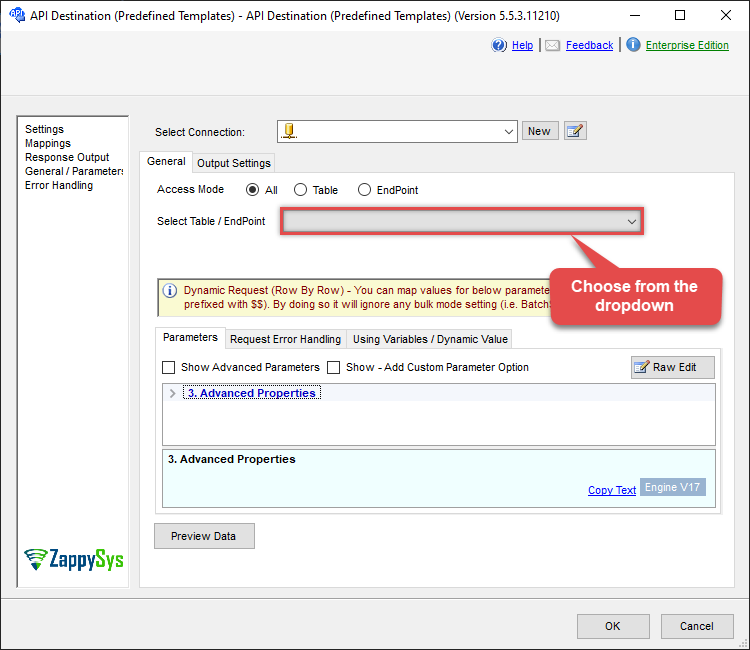
Use ElasticSearch Connector in API Source or in API Destination SSIS Data Flow components to read or write data.
API Source

| Required Parameters | |
|---|---|
| Index (choose one --OR-- enter * --OR-- comma seperated names) | Fill-in the parameter... |
| Enter Query (JSON Format) | Fill-in the parameter... |

API Destination
| Required Parameters | |
|---|---|
| Index (choose one --OR-- enter * --OR-- comma seperated names) | Fill-in the parameter... |
| Enter Query (JSON Format) | Fill-in the parameter... |
ODBC application
Use these SQL queries in your ODBC application data source:
Count documents in indexes
<p>Counts documents across one or more indexes or aliases using the Elasticsearch query DSL. Use the <code>Index</code> parameter to target a single index or alias, multiple indexes/aliases, or all indexes (with <code>*</code>). Optionally supply a query expression to count only matching documents; see the Elasticsearch query DSL documentation for query syntax.</p>
SELECT * FROM count WITH(Index='MyIndexOrAliasName') -- get count of documents in index / alias named MyIndexOrAliasName
SELECT * FROM count WITH(Index='*') -- get count of documents in all indices (total distinct _id found across all indices + alias)
SELECT * FROM count WITH(Index='MyIndex1,MyIndex2,MyAlias1,MyAlias2') -- get count of documents in indices named MyIndex1, MyIndex2 and alias named MyAlias1, MyAlias2
SELECT * FROM count WITH(Index='MyIndexOrAliasName', Query='{"match": { "comment" : "TV" } }') -- get count of documents in MyIndex where comment field contains word "TV"
Count documents in aliases
<p>Counts documents across one or more aliases (and, if needed, a mix of indexes and aliases) using the Elasticsearch query DSL. Use the <code>Index</code> parameter to list the aliases and indexes to include, and optionally pass a query expression to count only matching documents; see the Elasticsearch query DSL documentation for details.</p>
SELECT * FROM count WITH(Index='MyIndexOrAliasName') -- get count of documents in index / alias named MyIndexOrAliasName
SELECT * FROM count WITH(Index='*') -- get count of documents in all indices (total distinct _id found across all indices + alias)
SELECT * FROM count WITH(Index='MyIndexOrAlias1,MyIndexOrAlias2') -- get count of documents in MyIndex1 and MyIndex2
SELECT * FROM count WITH(Index='MyIndex', Query='{"match": { "comment" : "TV" } }') -- get count of documents in index named MyIndex where comment field contains word "TV"
SELECT * FROM count WITH(Index='MyAlias', Query='{"match": { "comment" : "TV" } }') -- get count of documents in alias named MyAlias where comment field contains word "TV"
SQL Server
Use these SQL queries in SQL Server after you create a data source in Data Gateway:
Count documents in indexes
<p>Counts documents across one or more indexes or aliases using the Elasticsearch query DSL. Use the <code>Index</code> parameter to target a single index or alias, multiple indexes/aliases, or all indexes (with <code>*</code>). Optionally supply a query expression to count only matching documents; see the Elasticsearch query DSL documentation for query syntax.</p>
DECLARE @MyQuery NVARCHAR(MAX) = 'SELECT * FROM count WITH(Index=''MyIndexOrAliasName'') -- get count of documents in index / alias named MyIndexOrAliasName
SELECT * FROM count WITH(Index=''*'') -- get count of documents in all indices (total distinct _id found across all indices + alias)
SELECT * FROM count WITH(Index=''MyIndex1,MyIndex2,MyAlias1,MyAlias2'') -- get count of documents in indices named MyIndex1, MyIndex2 and alias named MyAlias1, MyAlias2
SELECT * FROM count WITH(Index=''MyIndexOrAliasName'', Query=''{"match": { "comment" : "TV" } }'') -- get count of documents in MyIndex where comment field contains word "TV"';

EXEC (@MyQuery) AT [LS_TO_ELASTICSEARCH_IN_GATEWAY];
Count documents in aliases
<p>Counts documents across one or more aliases (and, if needed, a mix of indexes and aliases) using the Elasticsearch query DSL. Use the <code>Index</code> parameter to list the aliases and indexes to include, and optionally pass a query expression to count only matching documents; see the Elasticsearch query DSL documentation for details.</p>
DECLARE @MyQuery NVARCHAR(MAX) = 'SELECT * FROM count WITH(Index=''MyIndexOrAliasName'') -- get count of documents in index / alias named MyIndexOrAliasName
SELECT * FROM count WITH(Index=''*'') -- get count of documents in all indices (total distinct _id found across all indices + alias)
SELECT * FROM count WITH(Index=''MyIndexOrAlias1,MyIndexOrAlias2'') -- get count of documents in MyIndex1 and MyIndex2
SELECT * FROM count WITH(Index=''MyIndex'', Query=''{"match": { "comment" : "TV" } }'') -- get count of documents in index named MyIndex where comment field contains word "TV"
SELECT * FROM count WITH(Index=''MyAlias'', Query=''{"match": { "comment" : "TV" } }'') -- get count of documents in alias named MyAlias where comment field contains word "TV"';

EXEC (@MyQuery) AT [LS_TO_ELASTICSEARCH_IN_GATEWAY];