

Endpoint Move or rename item (File or Folder)
Name
move_rename_item
Description
Move or rename an item (File or Folder) to a different location in the same drive or another drive (e.g. different Document Library)
Parameters
| Parameter | Required | Options | ||||||||||||||||
|---|---|---|---|---|---|---|---|---|---|---|---|---|---|---|---|---|---|---|
|
Name:
Label: Operation |
YES |
|
||||||||||||||||
|
Name:
Label: Source Drive Id Specify a drive |
YES | |||||||||||||||||
|
Name:
Label: Source File or Folder Id you like to move or rename Specify an item Id you like to move or rename |
YES | |||||||||||||||||
|
Name:
Label: Target Type (i.e. Path or Id) Specify how you like to supply Target Folder (i.e. By Id or Path). Default is by Id |
YES |
|
||||||||||||||||
|
Name:
Label: Source Site Id (Optional - Select if different than default site) Specify a site |
||||||||||||||||||
|
Name:
Label: Target Site Id (Optional - Select if different than source SiteId) Specify a site |
||||||||||||||||||
|
Name:
Label: Target DriveId (Optional - Select if different than source DriveId) Specify a drive |
||||||||||||||||||
|
Name:
Label: Target Folder Id (e.g. 01R65Qxxxxxxx123 -OR- root) - Max 200 items listed Specify a target folder id where item should move after move or rename operation. If you are doing inplace rename and not doing move after rename then keep it blank |
||||||||||||||||||
|
Name:
Label: Target Folder Path (e.g. /myfolder -OR- /myfolder/subfolder) - Max 200 items listed Specify a target folder path where item should move after move or rename operation. If you are doing inplace rename and not doing move after rename then keep it blank |
||||||||||||||||||
|
Name:
Label: Target Item Name (Optional for Move - e.g. Myfile.pdf or MyFolder) Specify target item name you like to give after move or rename operation. If its move operation and you like to keep same item name as source then keep this blank. |
||||||||||||||||||
|
Name:
Label: Source Search Type - For UI Only (i.e. Recursive -OR- Non-Recursive) - Default=Recursive) NOTE: Not Supported with Application Credentials which uses Sites.Selected Scope. If you do not wish to see files from child folders then use Non-Recursive option. Recursive option has certain limitations (e.g. Only indexed files will appear so it takes time to show up in the list). If you do not see some files listed in the output then use Non-Recursive option (must specify Parent Folder Path in SearchPath property). |
|
|||||||||||||||||
|
Name:
Label: Source Search Folder (For UI Only - Helps to narrow down File Selection DropDown) - Max 200 Listed This parameter is only for UI. Select this to narrow down File List Dropdown. Select Search Folder first and then select File List dropdown to see new File list (found under this selected folder). |
||||||||||||||||||
|
Name:
Label: Target Search Type (For UI Only - Default=Recursive - i.e. Blank) If you do not wish to see files from child folders then use Non-Recursive option. Recursive option has certain limitations (e.g. Only indexed files will appear so it takes time to show up in the list). If you do not see some files listed in the output then use Non-Recursive option (must specify Parent Folder Path in SearchPath property). |
|
|||||||||||||||||
|
Name:
Label: Target Search Folder (For UI Only - Helps to narrow down File Selection DropDown) - Max 200 Listed This parameter is only for UI. Select this to narrow down File List Dropdown. Select Search Folder first and then select File List dropdown to see new File list (found under this selected folder). |
||||||||||||||||||
|
Name:
Label: Prefer Async Operation (Enable if you get error) |
|
Output Columns
| Label | Data Type (SSIS) | Data Type (SQL) | Length | Description |
|---|---|---|---|---|
| id |
DT_WSTR
|
nvarchar(500)
|
500 | |
| name |
DT_WSTR
|
nvarchar(150)
|
150 | |
| size |
DT_I8
|
bigint
|
||
| createdDateTime |
DT_DBTIMESTAMP
|
datetime
|
||
| lastModifiedDateTime |
DT_DBTIMESTAMP
|
datetime
|
||
| webUrl |
DT_WSTR
|
nvarchar(1500)
|
1500 | |
| webUrlPath |
DT_WSTR
|
nvarchar(1500)
|
1500 | |
| createdBy_user_id |
DT_WSTR
|
nvarchar(200)
|
200 | |
| createdBy_user_email |
DT_WSTR
|
nvarchar(150)
|
150 | |
| createdBy_user_displayName |
DT_WSTR
|
nvarchar(100)
|
100 | |
| createdBy_application_id |
DT_WSTR
|
nvarchar(200)
|
200 | |
| createdBy_application_displayName |
DT_WSTR
|
nvarchar(100)
|
100 | |
| lastModifiedBy_user_id |
DT_WSTR
|
nvarchar(200)
|
200 | |
| lastModifiedBy_user_email |
DT_WSTR
|
nvarchar(150)
|
150 | |
| lastModifiedBy_user_displayName |
DT_WSTR
|
nvarchar(150)
|
150 | |
| lastModifiedBy_application_id |
DT_WSTR
|
nvarchar(200)
|
200 | |
| lastModifiedBy_application_displayName |
DT_WSTR
|
nvarchar(150)
|
150 | |
| parentReference_id |
DT_WSTR
|
nvarchar(200)
|
200 | |
| parentReference_driveId |
DT_WSTR
|
nvarchar(400)
|
400 | |
| parentReference_driveType |
DT_WSTR
|
nvarchar(100)
|
100 | |
| parentReference_name |
DT_WSTR
|
nvarchar(200)
|
200 | This is only returned when calling lookup or /children call (e.g. /items/root:/[folder-name] OR /items/[item-id] ) |
| parentReference_siteId |
DT_WSTR
|
nvarchar(200)
|
200 | |
| parentReference_path |
DT_WSTR
|
nvarchar(1000)
|
1000 | This is only returned when calling lookup or /children call (e.g. /items/root:/[folder-name] OR /items/[item-id] ) |
| fileSystemInfo_createdDateTime |
DT_DBTIMESTAMP
|
datetime
|
||
| fileSystemInfo_lastModifiedDateTime |
DT_DBTIMESTAMP
|
datetime
|
||
| folder_childCount |
DT_I8
|
bigint
|
||
| file_mimeType |
DT_WSTR
|
nvarchar(300)
|
300 | |
| file_quickXorHash |
DT_WSTR
|
nvarchar(200)
|
200 | |
| file_sha1Hash |
DT_WSTR
|
nvarchar(200)
|
200 | |
| file_sha256Hash |
DT_WSTR
|
nvarchar(200)
|
200 | |
| shared_scope |
DT_WSTR
|
nvarchar(100)
|
100 | |
| remoteItem_parentReference_id |
DT_WSTR
|
nvarchar(200)
|
200 | |
| remoteItem_parentReference_driveId |
DT_WSTR
|
nvarchar(400)
|
400 | |
| remoteItem_parentReference_driveType |
DT_WSTR
|
nvarchar(100)
|
100 | |
| remoteItem_parentReference_name |
DT_WSTR
|
nvarchar(200)
|
200 | |
| remoteItem_parentReference_siteId |
DT_WSTR
|
nvarchar(200)
|
200 | |
| remoteItem_parentReference_path |
DT_WSTR
|
nvarchar(1000)
|
1000 | |
| remoteItem_shared_scope |
DT_WSTR
|
nvarchar(100)
|
100 | |
| remoteItem_shared_sharedDateTime |
DT_DBTIMESTAMP
|
datetime
|
||
| remoteItem_sharedBy_user_id |
DT_WSTR
|
nvarchar(200)
|
200 | |
| remoteItem_sharedBy_user_email |
DT_WSTR
|
nvarchar(150)
|
150 | |
| remoteItem_sharedBy_user_displayName |
DT_WSTR
|
nvarchar(150)
|
150 | |
| remoteItem_sharepointIds_listId |
DT_WSTR
|
nvarchar(200)
|
200 | |
| remoteItem_sharepointIds_listItemId |
DT_WSTR
|
nvarchar(200)
|
200 | |
| remoteItem_sharepointIds_listItemUniqueId |
DT_WSTR
|
nvarchar(200)
|
200 | |
| remoteItem_sharepointIds_siteId |
DT_WSTR
|
nvarchar(200)
|
200 | |
| remoteItem_sharepointIds_siteUrl |
DT_WSTR
|
nvarchar(200)
|
200 | |
| remoteItem_sharepointIds_tenantId |
DT_WSTR
|
nvarchar(200)
|
200 | |
| remoteItem_sharepointIds_webId |
DT_WSTR
|
nvarchar(200)
|
200 | |
| id_path |
DT_WSTR
|
nvarchar(500)
|
500 | |
| folder_path |
DT_WSTR
|
nvarchar(500)
|
500 |
Input Columns
| Label | Data Type (SSIS) | Data Type (SQL) | Length | Description | |||||||||||||||||||||||||||||||||||||||||||||||||||||||||||||||||||||||||||||||||||||||||||||||
|---|---|---|---|---|---|---|---|---|---|---|---|---|---|---|---|---|---|---|---|---|---|---|---|---|---|---|---|---|---|---|---|---|---|---|---|---|---|---|---|---|---|---|---|---|---|---|---|---|---|---|---|---|---|---|---|---|---|---|---|---|---|---|---|---|---|---|---|---|---|---|---|---|---|---|---|---|---|---|---|---|---|---|---|---|---|---|---|---|---|---|---|---|---|---|---|---|---|---|---|
| There are no Static columns defined for this endpoint. This endpoint detects columns dynamically at runtime. | |||||||||||||||||||||||||||||||||||||||||||||||||||||||||||||||||||||||||||||||||||||||||||||||||||
Examples
SSIS
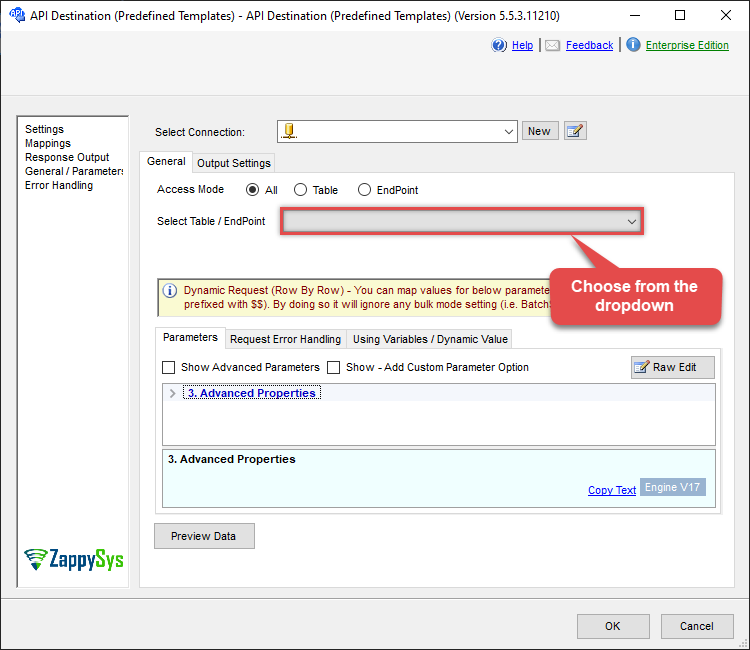
Use SharePoint Online Connector in API Source or in API Destination SSIS Data Flow components to read or write data.
API Source

| Required Parameters | |
|---|---|
| Operation | Fill-in the parameter... |
| Source Drive Id | Fill-in the parameter... |
| Source File or Folder Id you like to move or rename | Fill-in the parameter... |
| Target Type (i.e. Path or Id) | Fill-in the parameter... |
| Optional Parameters | |
| Source Site Id (Optional - Select if different than default site) | |
| Target Site Id (Optional - Select if different than source SiteId) | |
| Target DriveId (Optional - Select if different than source DriveId) | |
| Target Folder Id (e.g. 01R65Qxxxxxxx123 -OR- root) - Max 200 items listed | |
| Target Folder Path (e.g. /myfolder -OR- /myfolder/subfolder) - Max 200 items listed | |
| Target Item Name (Optional for Move - e.g. Myfile.pdf or MyFolder) | |
| Source Search Type - For UI Only (i.e. Recursive -OR- Non-Recursive) - Default=Recursive) | |
| Source Search Folder (For UI Only - Helps to narrow down File Selection DropDown) - Max 200 Listed | |
| Target Search Type (For UI Only - Default=Recursive - i.e. Blank) | |
| Target Search Folder (For UI Only - Helps to narrow down File Selection DropDown) - Max 200 Listed | |
| Prefer Async Operation (Enable if you get error) | |

API Destination
| Required Parameters | |
|---|---|
| Operation | Fill-in the parameter... |
| Source Drive Id | Fill-in the parameter... |
| Source File or Folder Id you like to move or rename | Fill-in the parameter... |
| Target Type (i.e. Path or Id) | Fill-in the parameter... |
| Optional Parameters | |
| Source Site Id (Optional - Select if different than default site) | |
| Target Site Id (Optional - Select if different than source SiteId) | |
| Target DriveId (Optional - Select if different than source DriveId) | |
| Target Folder Id (e.g. 01R65Qxxxxxxx123 -OR- root) - Max 200 items listed | |
| Target Folder Path (e.g. /myfolder -OR- /myfolder/subfolder) - Max 200 items listed | |
| Target Item Name (Optional for Move - e.g. Myfile.pdf or MyFolder) | |
| Source Search Type - For UI Only (i.e. Recursive -OR- Non-Recursive) - Default=Recursive) | |
| Source Search Folder (For UI Only - Helps to narrow down File Selection DropDown) - Max 200 Listed | |
| Target Search Type (For UI Only - Default=Recursive - i.e. Blank) | |
| Target Search Folder (For UI Only - Helps to narrow down File Selection DropDown) - Max 200 Listed | |
| Prefer Async Operation (Enable if you get error) | |
ODBC application
Use these SQL queries in your ODBC application data source:
Move or rename a file or folder
<p>Moves a file or folder within a SharePoint document library. Supports moving within the same drive, across drives or sites. You can also rename the item during the move.</p>
SELECT *
FROM move_rename_item
WITH
(
    -- ##### SOURCE #####
    -- Source Site (leave blank to use default site)
    -- , SiteId = 'abc.sharepoint.com,5304daff-xxxxxxxxxx'

    -- Source Drive (Document Library)
    , DriveId = 'b!0zqxxxxxxxxxxxxxxxxxxxxxxxx'

    -- Item to move or rename (FILE or FOLDER)
    -- Path format: root:/path/to/item:
    , ItemId  = 'root:/myfile.pdf:'
	-- , ItemId  = 'root:/myfolder/myfile.pdf:'
    -- , ItemId = '01R65QTTRARZ42C4BN6FF2WOH3AONX4GUW'  -- by ID (preferred)


    -- ##### TARGET #####
    -- Target Site (only required when moving across sites)
    -- , TargetSiteId = 'xyz.sharepoint.com,5304daff-xxxxxxxxxx'

    -- Target Drive (only required when moving across drives)
    -- , TargetDriveId = 'b!0zqXLXXJh0uxxxxxxxxxxxxxxxxxxxxx'


    -- ##### TARGET FOLDER #####
    -- Optional: specify ONLY when moving to a different folder
    -- Choose ONE format: Path OR Id

    , TargetType     = 'Id'
    , TargetFolderId = '01R65QTTTBPH6V2AP36VD33CYYDXJSNHLN'
    -- , TargetFolderId = 'root'   -- move to drive root

    -- -- OR --
    -- , TargetType       = 'Path'
    -- , TargetFolderPath = '/somefolder'
	-- , TargetFolderPath = '/somefolder/subfolder'
    -- , TargetFolderPath = '/somefolder/<<yyyy-MM-dd,FUN_NOW>>'  -- folder must exist


    -- ##### OPTIONS #####
    -- Optional: specify only when renaming the item
    -- , TargetItemName =
    --     'new_file_name_<<yyyy-MM-dd-HH-mm-ss-fff,FUN_NOW>>.pdf'

    -- Required for large items or cross-site / cross-drive moves (async)
    -- , Prefer = 'respond-async'
);
Rename a file or folder
<p>Renames a file or folder. You can also move it to a different location. Supports dynamic naming using placeholder functions.</p>
SELECT *
FROM move_rename_item
WITH
(
    -- ##### SOURCE #####
    -- Source Site (leave blank to use default)
    -- , SiteId = 'abc.sharepoint.com,5304daff-xxxxxxxxxx'

    -- Source Drive
    , DriveId = 'b!0zqxxxxxxxxxxxxxxxxxxxxxxxx'

    -- Item to move or rename (FILE or FOLDER)
    -- Path format: root:/path/to/item:
    , ItemId  = 'root:/myfile.pdf:'
	-- , ItemId  = 'root:/myfolder/myfile.pdf:'
    -- , ItemId = '01R65QTTRARZ42C4BN6FF2WOH3AONX4GUW'  -- by ID (preferred)


    -- ##### TARGET #####
    -- Target Site (optional, only required when moving across sites)
    -- , TargetSiteId = 'xyz.sharepoint.com,5304daff-xxxxxxxxxx'

    -- Target Drive (optional, only required when moving across drives)
    -- , TargetDriveId = 'b!0zqXLXXJh0uxxxxxxxxxxxxxxxxxxxxx'


    -- ##### TARGET FOLDER #####
    -- Optional: specify ONLY if moving item to a different folder
    -- Choose ONE format: Path OR Id
    -- NOTE: Use ONLY ONE TargetType block

    -- , TargetType       = 'Path'
    , TargetFolderPath = '/somefolder'
	-- , TargetFolderPath = '/somefolder/subfolder'
    -- , TargetFolderPath = '/somefolder/<<yyyy-MM-dd,FUN_NOW>>'  -- folder must exist

    -- , TargetType     = 'Id'
    -- , TargetFolderId = '01R65QTTTBPH6V2AP36VD33CYYDXJSNHLN'
    -- , TargetFolderId = 'root'


    -- ##### OPTIONS #####
    -- Required when renaming (omit if only moving)
    , TargetItemName =
        'new_file_name_<<yyyy-MM-dd-HH-mm-ss-fff,FUN_NOW>>.pdf'

    -- Required for large files or cross-site/drive move (async)
    -- , Prefer = 'respond-async'
);
SQL Server
Use these SQL queries in SQL Server after you create a data source in Data Gateway:
Move or rename a file or folder
<p>Moves a file or folder within a SharePoint document library. Supports moving within the same drive, across drives or sites. You can also rename the item during the move.</p>
DECLARE @MyQuery NVARCHAR(MAX) = 'SELECT *
FROM move_rename_item
WITH
(
    -- ##### SOURCE #####
    -- Source Site (leave blank to use default site)
    -- , SiteId = ''abc.sharepoint.com,5304daff-xxxxxxxxxx''

    -- Source Drive (Document Library)
    , DriveId = ''b!0zqxxxxxxxxxxxxxxxxxxxxxxxx''

    -- Item to move or rename (FILE or FOLDER)
    -- Path format: root:/path/to/item:
    , ItemId  = ''root:/myfile.pdf:''
	-- , ItemId  = ''root:/myfolder/myfile.pdf:''
    -- , ItemId = ''01R65QTTRARZ42C4BN6FF2WOH3AONX4GUW''  -- by ID (preferred)


    -- ##### TARGET #####
    -- Target Site (only required when moving across sites)
    -- , TargetSiteId = ''xyz.sharepoint.com,5304daff-xxxxxxxxxx''

    -- Target Drive (only required when moving across drives)
    -- , TargetDriveId = ''b!0zqXLXXJh0uxxxxxxxxxxxxxxxxxxxxx''


    -- ##### TARGET FOLDER #####
    -- Optional: specify ONLY when moving to a different folder
    -- Choose ONE format: Path OR Id

    , TargetType     = ''Id''
    , TargetFolderId = ''01R65QTTTBPH6V2AP36VD33CYYDXJSNHLN''
    -- , TargetFolderId = ''root''   -- move to drive root

    -- -- OR --
    -- , TargetType       = ''Path''
    -- , TargetFolderPath = ''/somefolder''
	-- , TargetFolderPath = ''/somefolder/subfolder''
    -- , TargetFolderPath = ''/somefolder/<<yyyy-MM-dd,FUN_NOW>>''  -- folder must exist


    -- ##### OPTIONS #####
    -- Optional: specify only when renaming the item
    -- , TargetItemName =
    --     ''new_file_name_<<yyyy-MM-dd-HH-mm-ss-fff,FUN_NOW>>.pdf''

    -- Required for large items or cross-site / cross-drive moves (async)
    -- , Prefer = ''respond-async''
);';

EXEC (@MyQuery) AT [LS_TO_SHAREPOINT_ONLINE_IN_GATEWAY];
Rename a file or folder
<p>Renames a file or folder. You can also move it to a different location. Supports dynamic naming using placeholder functions.</p>
DECLARE @MyQuery NVARCHAR(MAX) = 'SELECT *
FROM move_rename_item
WITH
(
    -- ##### SOURCE #####
    -- Source Site (leave blank to use default)
    -- , SiteId = ''abc.sharepoint.com,5304daff-xxxxxxxxxx''

    -- Source Drive
    , DriveId = ''b!0zqxxxxxxxxxxxxxxxxxxxxxxxx''

    -- Item to move or rename (FILE or FOLDER)
    -- Path format: root:/path/to/item:
    , ItemId  = ''root:/myfile.pdf:''
	-- , ItemId  = ''root:/myfolder/myfile.pdf:''
    -- , ItemId = ''01R65QTTRARZ42C4BN6FF2WOH3AONX4GUW''  -- by ID (preferred)


    -- ##### TARGET #####
    -- Target Site (optional, only required when moving across sites)
    -- , TargetSiteId = ''xyz.sharepoint.com,5304daff-xxxxxxxxxx''

    -- Target Drive (optional, only required when moving across drives)
    -- , TargetDriveId = ''b!0zqXLXXJh0uxxxxxxxxxxxxxxxxxxxxx''


    -- ##### TARGET FOLDER #####
    -- Optional: specify ONLY if moving item to a different folder
    -- Choose ONE format: Path OR Id
    -- NOTE: Use ONLY ONE TargetType block

    -- , TargetType       = ''Path''
    , TargetFolderPath = ''/somefolder''
	-- , TargetFolderPath = ''/somefolder/subfolder''
    -- , TargetFolderPath = ''/somefolder/<<yyyy-MM-dd,FUN_NOW>>''  -- folder must exist

    -- , TargetType     = ''Id''
    -- , TargetFolderId = ''01R65QTTTBPH6V2AP36VD33CYYDXJSNHLN''
    -- , TargetFolderId = ''root''


    -- ##### OPTIONS #####
    -- Required when renaming (omit if only moving)
    , TargetItemName =
        ''new_file_name_<<yyyy-MM-dd-HH-mm-ss-fff,FUN_NOW>>.pdf''

    -- Required for large files or cross-site/drive move (async)
    -- , Prefer = ''respond-async''
);';

EXEC (@MyQuery) AT [LS_TO_SHAREPOINT_ONLINE_IN_GATEWAY];