

Endpoint Delete Sheet Rows / Columns
Name
delete_sheet_rows_columns
Description
Deletes rows / columns based on startIndex / endIndex range (Index is zero based). For example to delete First 5 rows specify startIndex=0 and endIndex=4 [API reference]
Parameters
| Parameter | Required | Options | ||||||
|---|---|---|---|---|---|---|---|---|
|
Name:
Label: Range Type Specifies what would you like to delete (i.e. Rows or Columns) |
YES |
|
||||||
|
Name:
Label: Range Start Index (starts from 0) Range Start Index (Zero based) for operation. For Column Operation translate Alpha value to zero based index. Example: Column D = Index 3. Column AA=26 |
YES | |||||||
|
Name:
Label: Range End Index (starts from 0) Range End Index (Zero based) for operation. For Column Operation translate Alpha value to zero based index. Example: Column D = Index 3. Column AA=26 |
YES | |||||||
|
Name:
Label: TabId Numeric ID of SpreadSheet Tab for which you like to delete rows/columns. For first tab its 0. You can find this ID from Sheet URL in browser. Get Number after edit#gid= (thats your Tab ID) |
YES | |||||||
|
Name:
Label: SpreadSheetId Enter unique spreadsheet Id. To obtain sheet Id. Open spreadsheet in browser and check URL. You will example value like 1BxiMVs0XRA5nFMdKvBdBZjgmUUqptlbs74OgvE2upms that is your sheet id. |
|
Output Columns
| Label | Data Type (SSIS) | Data Type (SQL) | Length | Description |
|---|---|---|---|---|
| spreadsheetId |
DT_WSTR
|
nvarchar(100)
|
100 |
Input Columns
| Label | Data Type (SSIS) | Data Type (SQL) | Length | Description | |||||||||||||||||||||||||||||||||||||||||||||||||||||||||||||||||||||||||||||||||||||||||||||||
|---|---|---|---|---|---|---|---|---|---|---|---|---|---|---|---|---|---|---|---|---|---|---|---|---|---|---|---|---|---|---|---|---|---|---|---|---|---|---|---|---|---|---|---|---|---|---|---|---|---|---|---|---|---|---|---|---|---|---|---|---|---|---|---|---|---|---|---|---|---|---|---|---|---|---|---|---|---|---|---|---|---|---|---|---|---|---|---|---|---|---|---|---|---|---|---|---|---|---|---|
| There are no Static columns defined for this endpoint. This endpoint detects columns dynamically at runtime. | |||||||||||||||||||||||||||||||||||||||||||||||||||||||||||||||||||||||||||||||||||||||||||||||||||
Examples
SSIS
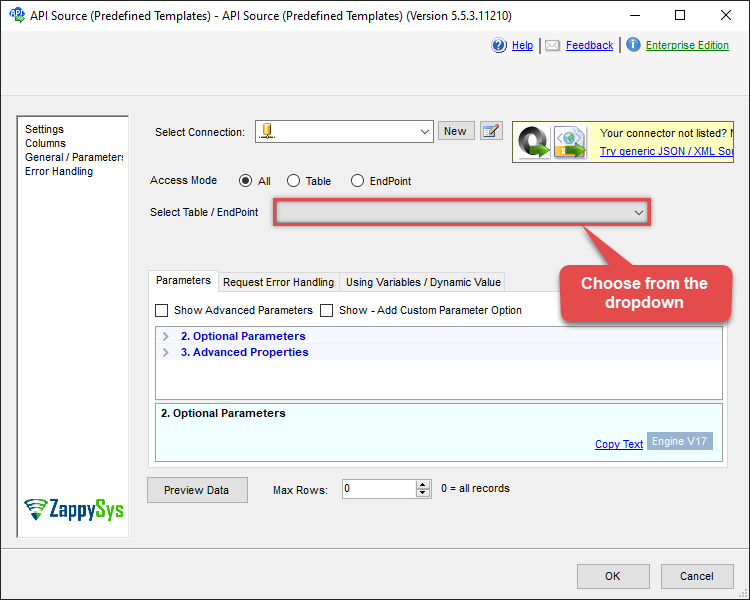
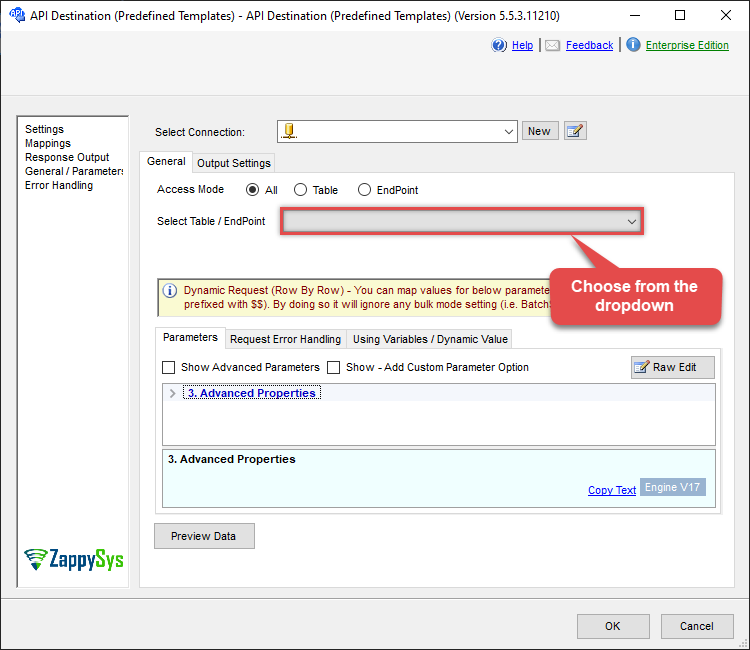
Use Google Sheets Connector in API Source or in API Destination SSIS Data Flow components to read or write data.
API Source

| Required Parameters | |
|---|---|
| Range Type | Fill-in the parameter... |
| Range Start Index (starts from 0) | Fill-in the parameter... |
| Range End Index (starts from 0) | Fill-in the parameter... |
| TabId | Fill-in the parameter... |
API Destination
| Required Parameters | |
|---|---|
| Range Type | Fill-in the parameter... |
| Range Start Index (starts from 0) | Fill-in the parameter... |
| Range End Index (starts from 0) | Fill-in the parameter... |
| TabId | Fill-in the parameter... |
ODBC application
Use these SQL queries in your ODBC application data source:
Delete Sheet Rows
<p>Deletes rows 5 and 6 (row index 4 to 5, zero-based) from the specified sheet tab using the <code>delete_sheet_rows_columns</code> endpoint.</p> <p>Set <code>Dimension='ROWS'</code> and specify <code>StartIndex</code> and <code>EndIndex</code> for the range to delete.</p>
SELECT * FROM delete_sheet_rows_columns
WITH(
  Dimension='ROWS',
  StartIndex='4',
  EndIndex='6',
  TabId='0',
  SpreadSheetId='1az2H8ZYk7BvjddVTqPR-LfDjX9IRpIpjCDpFPe9EzkU'
)
Delete Sheet Columns
<p>Deletes columns D and E (column index 3 to 4, zero-based) from the specified sheet tab using the <code>delete_sheet_rows_columns</code> endpoint.</p> <p>Set <code>Dimension='COLUMNS'</code> and specify <code>StartIndex</code> and <code>EndIndex</code> for the range to delete.</p>
SELECT * FROM delete_sheet_rows_columns
WITH(
  Dimension='COLUMNS',
  StartIndex='3',
  EndIndex='5',
  TabId='0',
  SpreadSheetId='1az2H8ZYk7BvjddVTqPR-LfDjX9IRpIpjCDpFPe9EzkU'
)
SQL Server
Use these SQL queries in SQL Server after you create a data source in Data Gateway:
Delete Sheet Rows
<p>Deletes rows 5 and 6 (row index 4 to 5, zero-based) from the specified sheet tab using the <code>delete_sheet_rows_columns</code> endpoint.</p> <p>Set <code>Dimension='ROWS'</code> and specify <code>StartIndex</code> and <code>EndIndex</code> for the range to delete.</p>
DECLARE @MyQuery NVARCHAR(MAX) = 'SELECT * FROM delete_sheet_rows_columns
WITH(
  Dimension=''ROWS'',
  StartIndex=''4'',
  EndIndex=''6'',
  TabId=''0'',
  SpreadSheetId=''1az2H8ZYk7BvjddVTqPR-LfDjX9IRpIpjCDpFPe9EzkU''
)';

EXEC (@MyQuery) AT [LS_TO_GOOGLE_SHEETS_IN_GATEWAY];
Delete Sheet Columns
<p>Deletes columns D and E (column index 3 to 4, zero-based) from the specified sheet tab using the <code>delete_sheet_rows_columns</code> endpoint.</p> <p>Set <code>Dimension='COLUMNS'</code> and specify <code>StartIndex</code> and <code>EndIndex</code> for the range to delete.</p>
DECLARE @MyQuery NVARCHAR(MAX) = 'SELECT * FROM delete_sheet_rows_columns
WITH(
  Dimension=''COLUMNS'',
  StartIndex=''3'',
  EndIndex=''5'',
  TabId=''0'',
  SpreadSheetId=''1az2H8ZYk7BvjddVTqPR-LfDjX9IRpIpjCDpFPe9EzkU''
)';

EXEC (@MyQuery) AT [LS_TO_GOOGLE_SHEETS_IN_GATEWAY];